System Languages (Internationalization)
Description, Purpose and Objective
NOTE
The System Languages view is the internationalization administrative console ($i18n$) in charge of creating, consulting, editing and deleting official languages supported in the platform's user interface.
A System Language is made up of the following required fields:
- Name*: Official name of the language (e.g. Spanish, English).
- Abbreviation*: ISO language code of two or four characters (e.g. es-es, en-us).
The objective of this module is to allow multilingual expansion of the system by managing the official localization options of the platform.
Context of Use
This module is used by system administrators to:
- Activate new languages: Register official languages and their ISO codes for platform localization.
- Edit abbreviations: Update localization codes and translation identifiers.
Possible Actions
1. Check and Filter Languages
- Use the search bar (Search) to locate specific languages by name or abbreviation.
- Click on the column headers (Name, Abbreviation) to sort the table in ascending or descending order.

2. Create a New Language
- Click the "Add Language" button in the upper right corner.

- In the drop-down side panel, fill out the required fields:
- Name* (Ex: Spanish).
- Abbreviation* (Ex: es-es).
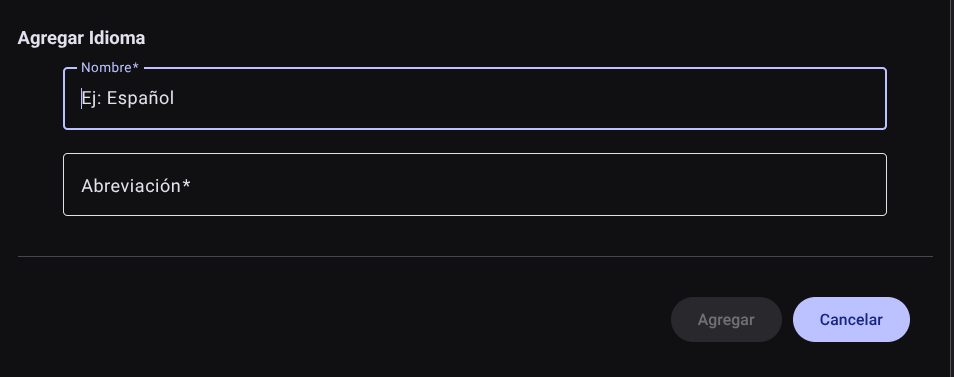
- Press "Add" to save the record (or "Cancel" to close the panel without keeping the changes). The new language will be incorporated into the table list.

3. Edit an Existing Language
- In the desired language row within the main table, locate the Actions column and click the pencil (Edit).
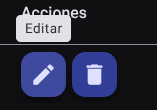
- Open the side panel with the loaded information to modify the language name or abbreviation.
- Press the "Update" button to save the changes to the system.

4. Delete a Language
- In the Actions column of the corresponding row, click the trash bin (Delete).
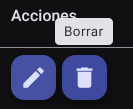
- The system will display a direct confirmation box
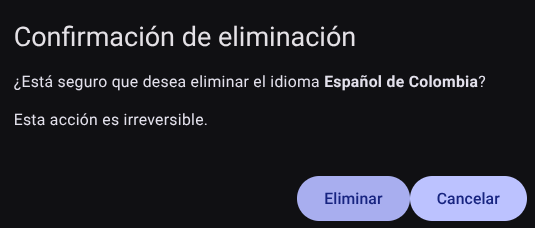
Roles and Permissions Required
Access to these global system parameters is restricted to the General Administrator or Platform Support role. Requires the following permissions:
- Geographic and UI parameters:
country_read,state_read,languages_readandmenus_read. - Entities and Licensing:
memberships_read,system_products_readandconfig_refs_read. - Traceability:
tags_readandincident_tracking_read(for incident tracking). - Write Actions: Permissions with corresponding
_createand_updatesuffixes to modify system tables.