QA Test Setup
Description, Purpose and Objective
NOTE
The Quality Control Tests (or QC Tests) view is the operational core of the quality module. Its function is to logically integrate all the analytical elements of a measurement to enable the entry of results and statistical monitoring.
A Quality Control Test (or QC Test) is the active linking of:
- Test: The combination of the measurand, area, method, manufacturer and unit.
- Instrument: The specific analyzer where the sample is processed.
- Batch Levels: The control materials (sera or control matrices of up to 4 different levels) assigned for the analytical run.
- Multi-Control Rules: The set of Westgard statistical rules configured to alert or reject deviant analytical runs.
The objective of this view is to consolidate the analytical matrix of the organization, allowing analytical deviations to be controlled under international Westgard rules for each measurand processed on physical equipment.
Context of Use
This module is used by the quality manager and analyst specialists to:
- Design the statistical control of each examination: Define which control levels (e.g. Level 1 Normal and Level 2 Pathological) will be processed for Glucose on the Cobas 1 analyzer.
- Parameterize analytical alarms: Activate deviation alerts and automatic rejections (for example, reject if the 1:3s rule is violated or alert when the 1:2s rule is violated).
- Enable result entry: If a QC Test is not configured here, operators will not be able to enter manual results or import files for that measurand.
Possible Actions
1. Consult CC Tests and View Rules Configuration
Shows a table with all the configured tests detailing: Assay, Instrument, Method, Unit, Area, Record Date and the assigned Lots (Lot 1, Lot 2, etc.).

In the Configured column, the system displays a check icon. When you position the cursor over the check icon, a descriptive pop-up window (tooltip) is displayed detailing the active Westgard multi-rules for that test.
<
2. Create a CC Test
To register a new test:
- Click "Add CC Test" at the top right.

- Fill out the side form:
- Essay: Select the essay from the auto-complete list.
- Instrument: Indicate the physical analyzer on which the assay will be run.
- Configure Batches (Dynamic Level Assignment):
- By default, the system displays a selection field for Lot 1.
- To add additional control levels, click the "+" (Add Batch) circle button. You can register up to a maximum of 4 simultaneous control batch levels.
- To remove a level assigned in error, click the "-" circular button (Remove batch).
- In each lot field, enter the lot number and select it from the autocomplete list compatible with the assay.
- Configure Multi Control Rules (Westgard Rules): The system displays the selectors for each analytical rule. For each rule (e.g. 1:2s, 1:3s, 2:2s, R4s, 10x), define the action to take:
- Inactive: The rule is not validated.
- Alert: Visually warns the operator but processes the data statistically.
- Rejection: The data is displayed in red, critical error alert and is excluded from the organization's average and standard deviation calculations.
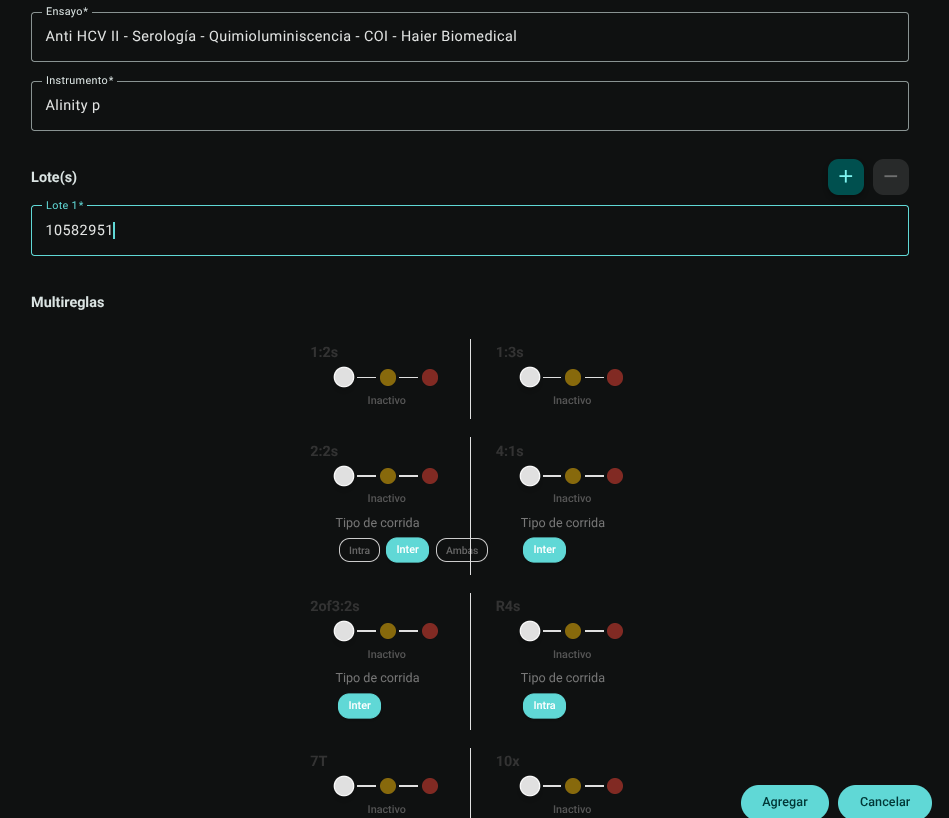
- Click "Add" in the footer to save the settings.

3. Edit a CC Test
To adjust batch levels or modify the sensitivity of Westgard rules:
- Click "Edit" (pencil icon ✏️) on the corresponding record.
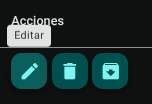
- Make your changes on the side form and click "Update" to apply.
WARNING
The system will prevent editing of any QC Test that already has control results recorded in the system, or that is assigned to a Comparative Quality Control Group.
4. Archive and Unarchive CC Tests
When annual quality control batches change or an analyzer is removed from service:
- Archive: Click "Archive" (📥 icon) in the test row. This will no longer be listed on the ordinary results entry screens.
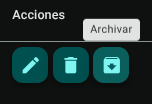
- Unarchive: Use the "Archived" switch in the header to view historical evidence and press "Unarchive" on the corresponding row to reactivate it.


5. Delete a CC Test
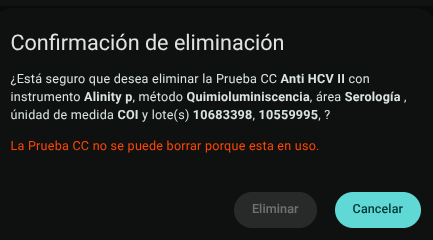
Click on the trash icon (🗑️) and confirm the action.
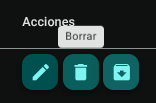
WARNING
The system will prevent the deletion of any QC Test that already has control results recorded in the system, or that is assigned to a Comparative Quality Control Group. In these cases, the Archive option must be used to disable it.
6. Export CC Tests
Click the download button above to export the Organization QA Configuration Matrix in .CSV format.
Roles and Permissions Required
Access to this parameterization module is reserved for the roles of Quality Director, Laboratory Coordinator and System Administrator. Requires the following technical permissions:
- Display and Audit:
qctests_read(allows you to consult the list, filter parameters and audit the current configurations). - Management and Writing:
qctests_create,qctests_updateand