Entry of Hematology Results
Description, Purpose and Objective
NOTE
The Hematology Results Entry console is the specialized interface designed to capture, validate and record the numerical and methodological parameters corresponding to the blood count and differentiated cell count in the external quality evaluation program (PEEC).
The purpose of this module is to unify the reporting of the participant's erythrocyte, platelet and leukocyte formula indices. Its objective is to ensure the traceability of the analyzer used and regulate the capture of cell counts (platelets, erythrocytes and leukocytes) by restricting entry to a single technology (Impedance or Optical) according to the physical principle of the equipment used, avoiding analytical inconsistencies and duplication in control statistics.
Context of Use
This panel is operated in the laboratory routine by:
- Bacteriologists and Hematology Specialists: To enter the values obtained after processing the control samples of the program in the automatic analyzers and recording the parameters.
- Quality Coordinators: To audit the types of reading technology reported (impedance or optical) and electronically sign the secure submission of event participation.
Step by Step for Participation Registration
Follow the technical procedure to capture hematology profile data:
1. Instrument Loading and Traceability
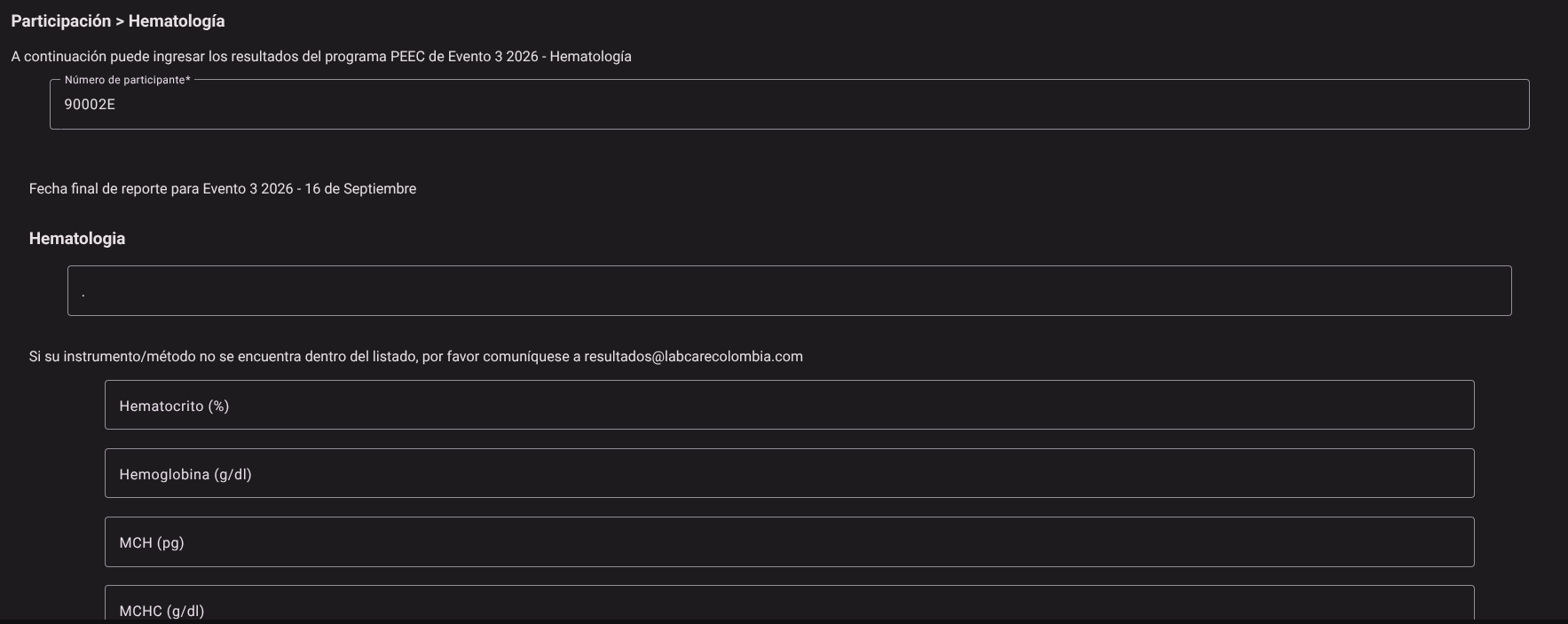
- Access the Hematology screen (via the corresponding Dynamic Event path).

- Click the Participant Number* drop-down field.

- Type or select from the autocomplete list the ID of the participant assigned to the event.
- Note: The selection of the participant will display the deadline for delivery of results and the form fields in the interface.
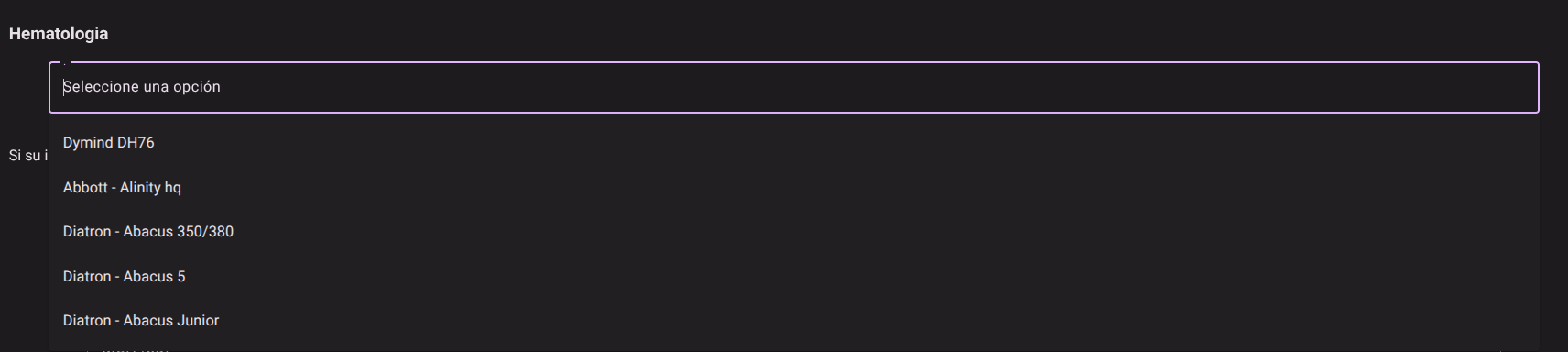
- In the Hematology section, select the corresponding hematology analyzer from the active equipment drop-down list.
- Examples of options:
Abbott - Alinity hq,Dymind DH76,Diatron - Abacus 350/380,Diatron - Abacus 5,Diatron - Abacus Junior. - Note: If the model or brand of the equipment used by your laboratory does not appear in the drop-down list, the interface will tell you to contact the official technical support email displayed on the screen.
- Examples of options:
2. Capture of Quantitative Hematological Parameters
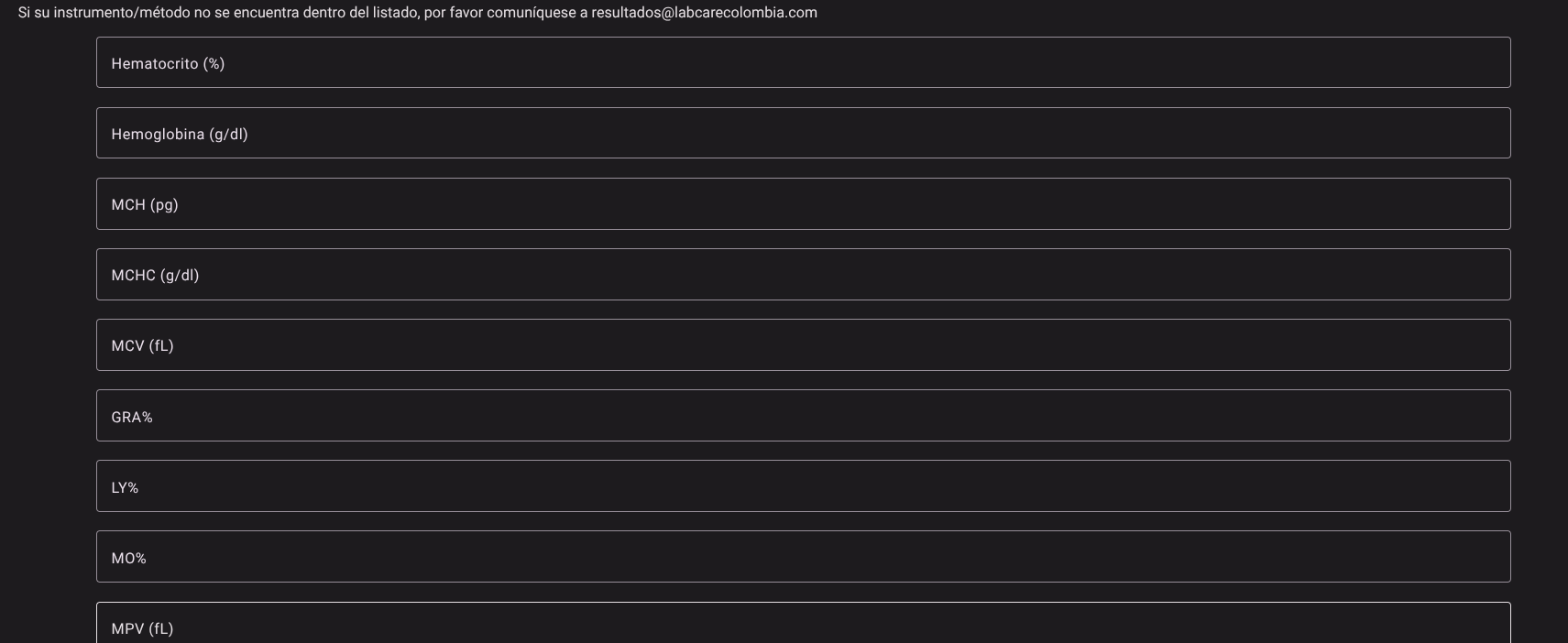
Enter the absolute numerical value reported by your analyzer for each of the blood cell parameters in the corresponding fields:
- Hematocrit (%)
- Hemoglobin (g/dL)
- MCH (pg): Mean Corpuscular Hemoglobin.
- MCHC (g/dL): Mean Corpuscular Hemoglobin Concentration.
- MCV (fL): Average Corpuscular Volume.
- GRA%: Percentage of Granulocytes.
- LY%: Percentage of Lymphocytes.
- MO%: Percentage of Monocytes.
- MPV (fL): Average Platelet Volume.
- RDW %: Erythrocyte Distribution Width.
3. Cell Count Differentiated by Technology
IMPORTANT
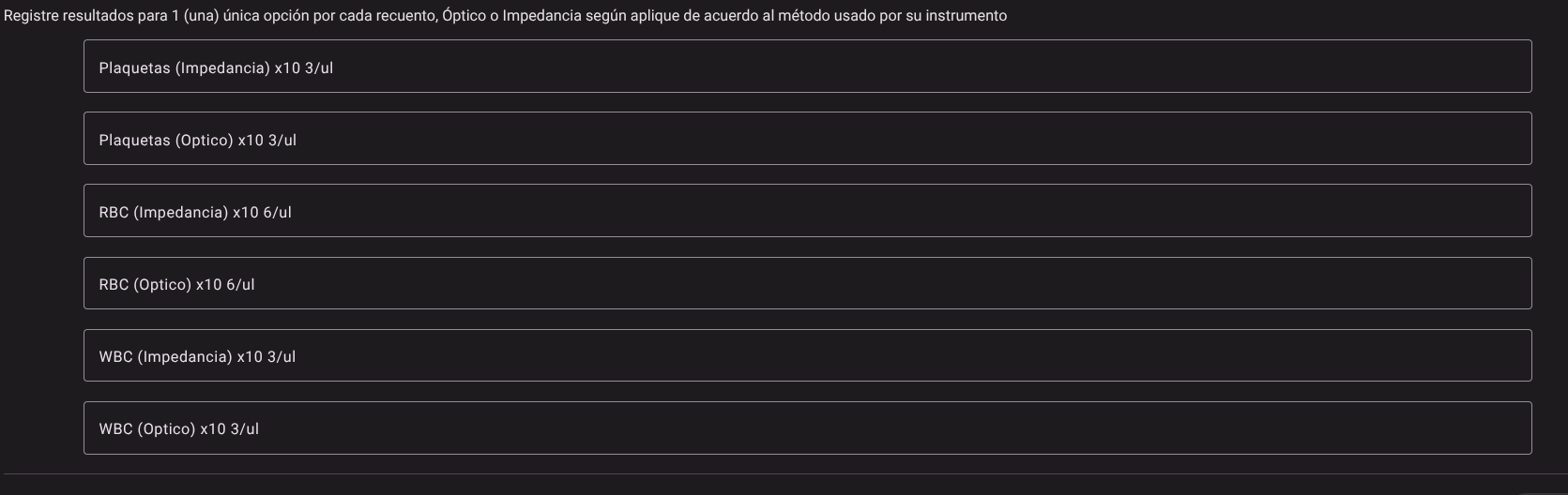
Business Rule on Double Reporting: Record the numerical value in only one of the options for each cell count. Select the Impedance or Optical column according to the physical principle used by your hematology analyzer. The system will block and disable the opposite cell automatically when detecting data entry, preventing calculation inconsistencies.
Complete as appropriate:
- Platelets ($10^3/\mu\text{L}$):
- Enter the result in Platelets (Impedance) OR Platelets (Optical).
- Erythrocytes / RBC ($10^6/\mu\text{L}$):
- Enter the result in RBC (Impedance) OR RBC (Optical).
- Leukocytes / WBC ($10^3/\mu\text{L}$):
- Enter the result in WBC (Impedance) OR WBC (Optical).
4. Saving the Report
- Check carefully that all typed cells contain numerical values consistent with the specified units.
- Scroll to the bottom right corner of the form.
- Click the Save button.
- The system will verify the matching rules (e.g. that there are no double captures in impedance/optical) and will definitively store the participation in the database.

Technical Validation Criteria and Rules of Three in Hematology
TIP
Analytical Quality Control Guidelines for the Bacteriologist:
- Rule of Three (Hemoglobin vs. Hematocrit): Verify basic agreement of erythrocyte indices in normocytic/normochromic samples: $$\text{Hematocrit (%)} \approx 3 \times \text{Hemoglobin (g/dL)} \pm 3$$
- Consistency of Corpuscular Indices (VCM, HCM, CHCM):
- $\text{VCM (fL)} = \frac{\text{Hto (%)} \times 10}{\text{RBC (}10^6/\mu\text{L)}}$
- $\text{HCM (pg)} = \frac{\text{Hb (g/dL)} \times 10}{\text{RBC (}10^6/\mu\text{L)}}$
- $\text{CHCM (g/dL)} = \frac{\text{Hb (g/dL)} \times 100}{\text{Hto (%)}}$
- If $\text{CHCM} > 37.5\text{ g/dL}$, suspect hyperlipidemia, cold agglutinins, in vitro hemolysis, or mismatch in optical/photometric hemoglobin measurement before reporting.
- Technological Selection (Impedance vs. Optical): Optical scattering or flow cytometry methods are preferable in samples with platelet aggregates or severe microcytosis where traditional electrical impedance may overestimate platelets or underestimate red blood cells.
Roles and Permissions Required
The consultation and entry of data in the Hematology module is conditioned by the following permissions and roles:
The roles enabled to interact with this console are Bacteriologist / Hematology Analyst, Analyzer Operator and Quality Director.
- Access and Viewing:
dynamic_event_read: Allows read access to the Hematology event screen (event code03) and search for the participant.
- Capture and Insertion:
dynamic_event_create/
- Elimination:
dynamic_event_delete: Enables cleaning or cancellation of the participation form for data re-entry.