Setting Means and Standard Deviations
Description, Purpose and Objective
NOTE
The Means and Standard Deviations (or Means/SD) view is the mathematical quality control module responsible for establishing the reference central tendency and dispersion values to evaluate the daily analytical results.
The statistical configuration of a QC and Batch Test includes:
- Mean ($\mu$): The expected or target average value for the analyte at that control level.
- Standard Deviation (SD): The margin of absolute dispersion allowed around the mean, used as the unit of measurement to calculate the control limits ($\pm 1s, \pm 2s, \pm 3s$).
- Mean Type: The source of the statistical values, which can be Defined by the user (based on internal historical calculations), the Manufacturer (according to the batch insert) or the Peer Group.
The objective of this view is to define the center and width of the organization's Levey-Jennings plots, allowing the system to calculate the analytical deviations of each reported result.
Context of Use
This panel is configured by technical directors and quality specialists of the laboratory to:
- Set manufacturer averages: Enter control insert reference values when opening a new lot.
- Calculate historical means (Own Means): Configure custom means and SDs after processing 20 or more data in a familiarization phase to improve the precision of internal statistical control.
- Update parameters for maintenance: Adjust the reference values after instrument calibrations or changing photometer bulbs.
Possible Actions
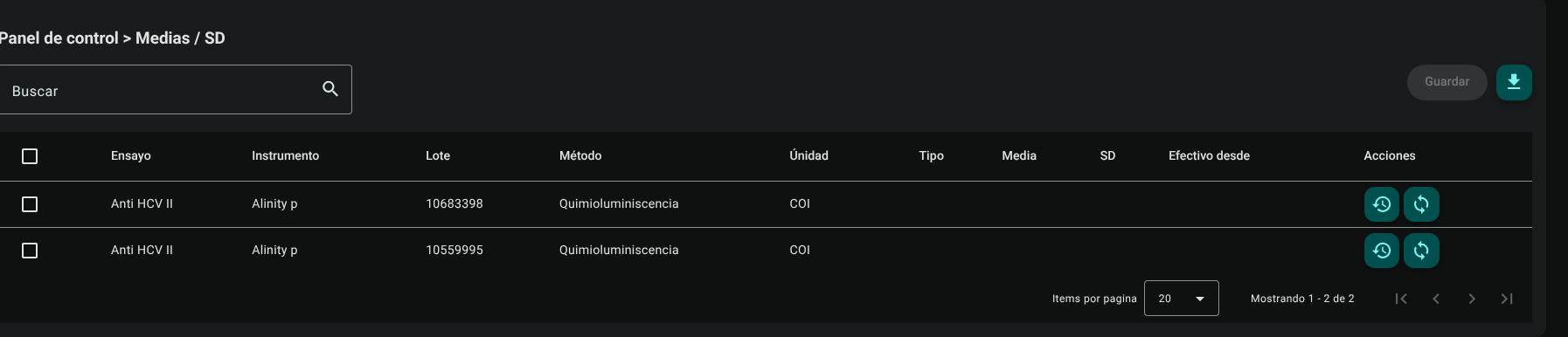
1. Consult and Search Averages and SD
It presents a table that details for each QC Test and Lot: Assay, Instrument, Lot, Method, Unit, Media Type, Mean, SD and Effective Date. The top search engine quickly filters by analyte, analyzer or batch.
2. Medias and SD Inline Edition
To modify or enter values:
- Check the checkbox (Checkbox) in the first column of the test to configure.

- The selected row will become an editable form:
- Type: Select from the list (e.g. User Defined, Manufacturer, Peer Group). If you select Manufacturer, the numeric fields will be locked to receive the pre-populated lot constant information.
- Average: Enter the target average value of the measurement (e.g.
120.5). Enabled only if the type is User Defined. - SD: Enter the numerical value of the standard deviation (e.g.
3.2). Enabled only if the type is User Defined. - Effective from: Indicate using the date selector the day on which these values will begin to apply to evaluate the controls.

- Click the general "Save" button in the upper right corner to store all changes made in batch.

3. Consult Statistical Calibration History
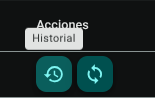
Click the "History" button (clock icon ↩️) in the test row to display a pop-up modal that records the chronology of means and SDs that have been current for that batch, indicating the responsible user, the effective date and the old values.
4. Recalculation and Re-evaluation of Results (Sync)
If the mean or SD was modified and results already entered in the month are required to be evaluated under these new parameters (to recalculate Westgard violations in the Levey-Jennings plot):
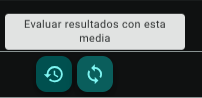
- Click the "Evaluate results with this average" button (
syncsync icon 🔄) in the test row.
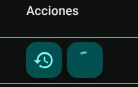
- The icon will change to a spinner while the server re-validates the multi-rules for the entire history of results for the current batch.
- Once the synchronization is complete, the alerts in the control chart will be updated automatically.
5. Export Media and SD
Click on the download button at the top right of the table to download the list of configured statistical parameters in .CSV format.
Metrological Recommendations and Good Laboratory Practices
TIP
- Familiarization Phase (Own Means): When introducing a new batch of control material, it is recommended to accumulate a minimum of 20 independent data (obtained on different days and shifts) before setting the laboratory's own cumulative average. This ensures that the standard deviation ($s$) captures the actual inter-day variability of the analytical system and prevents false statistical rejections.
- Use of Manufacturer Averages: The values assigned in the commercial insert should only be used provisionally during the initial start-up of the batch. The insert groups multiple laboratories and instruments together, so its dispersion ($s$) is typically wider than the intrinsic variability of its analyzer.
- Recalculation after Major Maintenance: If the equipment undergoes a major component change (optics, photometer, sampling syringes or laser alignment), audit whether the control average experienced a significant shift before running the re-evaluation function (
sync).
Roles and Permissions Required
Access to this parameterization module is reserved for the roles of Quality Director, Laboratory Coordinator and System Administrator. Requires the following technical permissions:
- Display and Audit:
mean_sd_read(allows you to consult the list, filter parameters and audit the current configurations). - Management and Writing:
mean_sd_create,mean_sd_updateand