Molecular Biology Results Entry
Description, Purpose and Objective
NOTE
The Molecular Biology Results Entry console is the specialized interface of the PEEC platform designed to record methodological data, qualitative detection and quantification of viral load in samples associated with Molecular Biology programs.
The purpose of this module is to unify the analytical data load for key viral pathogens (such as HIV, HCV and HBV) evaluated by participating laboratories. Its objective is to ensure the methodological traceability of the laboratory (extraction and amplification platforms) and to standardize the quantitative report using a uniform logarithmic scale ($\log_{10}$), facilitating the subsequent comparative statistical analysis of the results.
Context of Use
This panel is operated in the laboratory routine by:
- Bacteriologists and Molecular Biology Professionals: To enter the qualitative and quantitative readings (viral load) obtained in the PCR analytical runs of the corresponding aptitude event.
- Quality Coordinators: To validate that the selected technologies and commercial platforms match the reagents in use and confirm correct shipment before the close of the PEEC round.
Step by Step for Recording Results
Follow the technical procedure to complete data capture in the module:
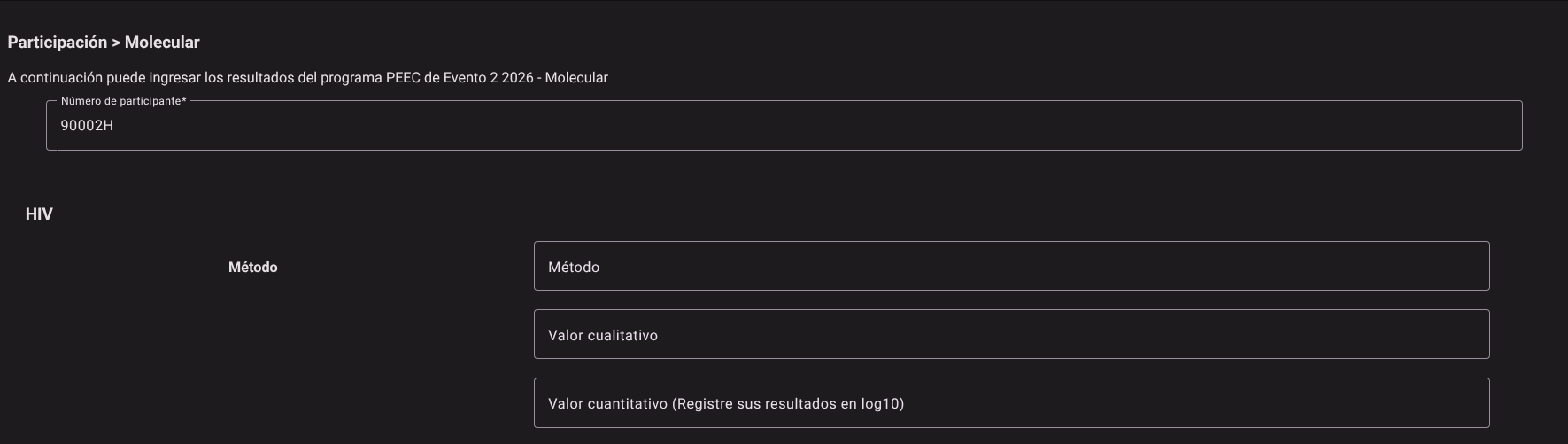
1. Uploading the Participant Form
- Access the Molecular Biology screen (via the respective Dynamic Event path).
- Click the Participant Number* drop-down field.
- Type or select from the autocomplete list the ID of the assigned participant.
- The system will automatically invoke the structure and active viral markers corresponding to the event phase in the lower grid.


2. Filing of Results by Analyte (HIV, HCV, HBV)
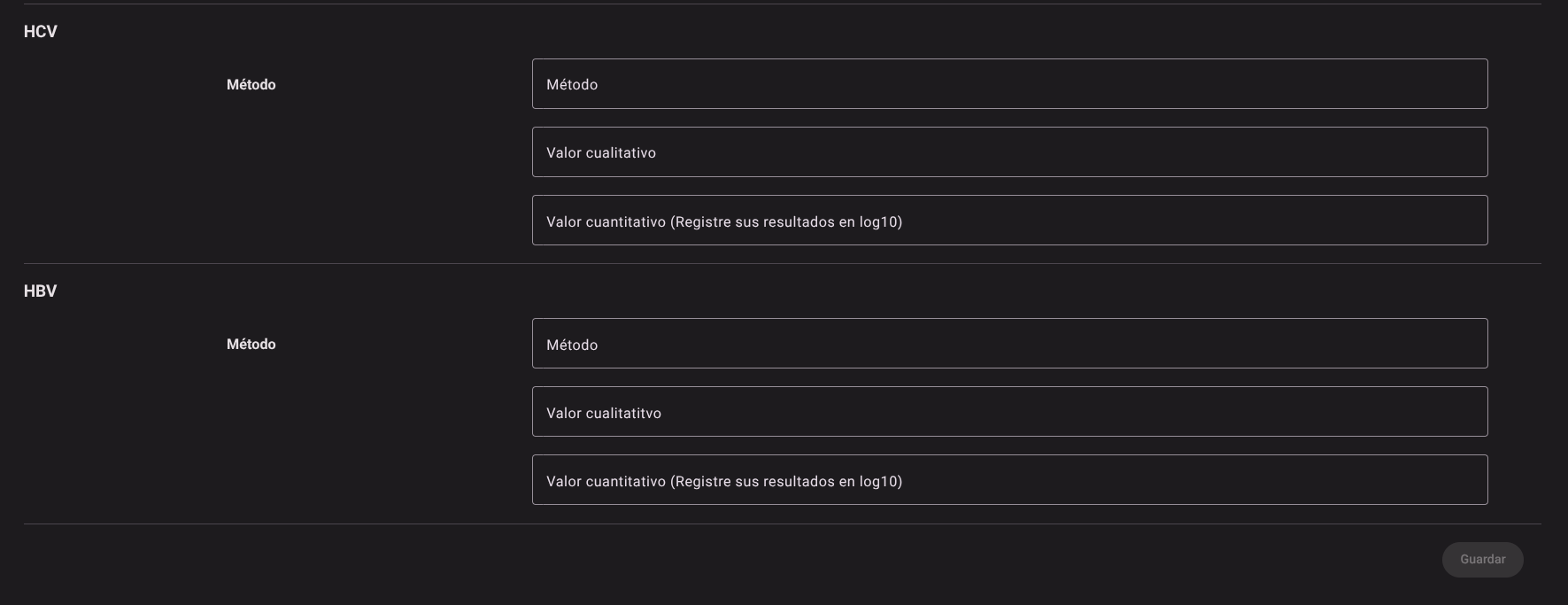
For each of the molecular markers represented in the questionnaire sections, complete the following three fields in detail:
- Method: Click on the drop-down list and select the commercial platform, reagent kit or amplification technology used by the laboratory.
- Examples of options:
COBAS AmpliPrep/COBAS TaqMan,COBAS 6800,RealTime m2000,GeneXpert System.
- Examples of options:
- Qualitative Value: Select the diagnostic interpretation of the clinical trial run from the drop-down list.
- Options:
DetectableorNo detectable.
- Options:
- Quantitative Value: Enter in the text field the absolute numerical value corresponding to the viral load of the sample expressed on a base 10 logarithmic scale ($\log_{10}$ IU/mL or copies/mL).
- Note: Be sure to follow standard decimal notation to avoid cell integrity warnings.
3. Data Saving
- Once you have completed entering the methodology and results for all the viruses corresponding to the event, scroll to the end of the interface.
- Press the Save button located in the lower right corner.
- The system will validate the structure of the fields and permanently store the information on the server, linking traceability to the evaluated participant.

Methodology and Standardization of Viral Load in Molecular Biology
IMPORTANT
Standardization Guidelines for the Molecular Biology Professional:
- Logarithmic Transformation ($\log_{10}$): The quantification of viral nucleic acids (HBV DNA, HIV and HCV RNA) presents wide dynamic dispersion. The report is standardized in logarithm to base 10 ($\log_{10}$) to allow linear comparison and evaluation of interlaboratory performance: $$\log_{10}(\text{Viral Load}) = \log_{10}(\text{Copies/mL or UI/mL})$$ Example: A result of $100,000\text{ IU/mL}$ is exactly equivalent to $5.00\log_{10}\text{ IU/mL}$.
- Lower Limit of Detection (LoD): If the sample is below the analytical quantification limit of the method, select
Detectableonly if there was an amplification signal and document if it is a value
Roles and Permissions Required
The consultation and entry of data in the Molecular Biology module is conditioned by the following roles and permissions:
The roles enabled to interact with this console are Clinical Bacteriologists, Molecular Diagnostic Specialists and Laboratory Directors.
- Display and Access:
dynamic_event_read: Allows you to load the dynamic screen of the Molecular Biology event and consult the list of participants.
- Capture and Modification:
dynamic_event_create/
- Elimination:
dynamic_event_delete: Authorizes the restart or cleaning of the participant's questionnaire in case of justified cancellation of the round.