Audit Log
Description, Purpose and Objective
NOTE
The Audit Log (or Logs) view is the security and traceability tool of the system in charge of chronologically recording all operations and history of modifications made to the platform.
An Audit Log (or Traceability Record) is a computer file or record generated automatically by the system every time a user performs a creation, update or deletion action in the organization's database.
The goal of this view is to ensure information transparency and security, allowing auditors and administrators to track exactly what changes were made, when, and by whom.
Context of Use
This module is mainly used by auditors, information security officers and general administrators to:
- Investigate bugs or inconsistencies: Track suspicious or erroneous modifications to quality control settings or court files.
- Comply with quality regulations: Maintain complete traceability required by regulatory entities in health or legal management.
- Compare data states: Compare the previous state (Before) and the after state (After) of a modified record.
Possible Actions
1. Consult and Filter Audit Traces
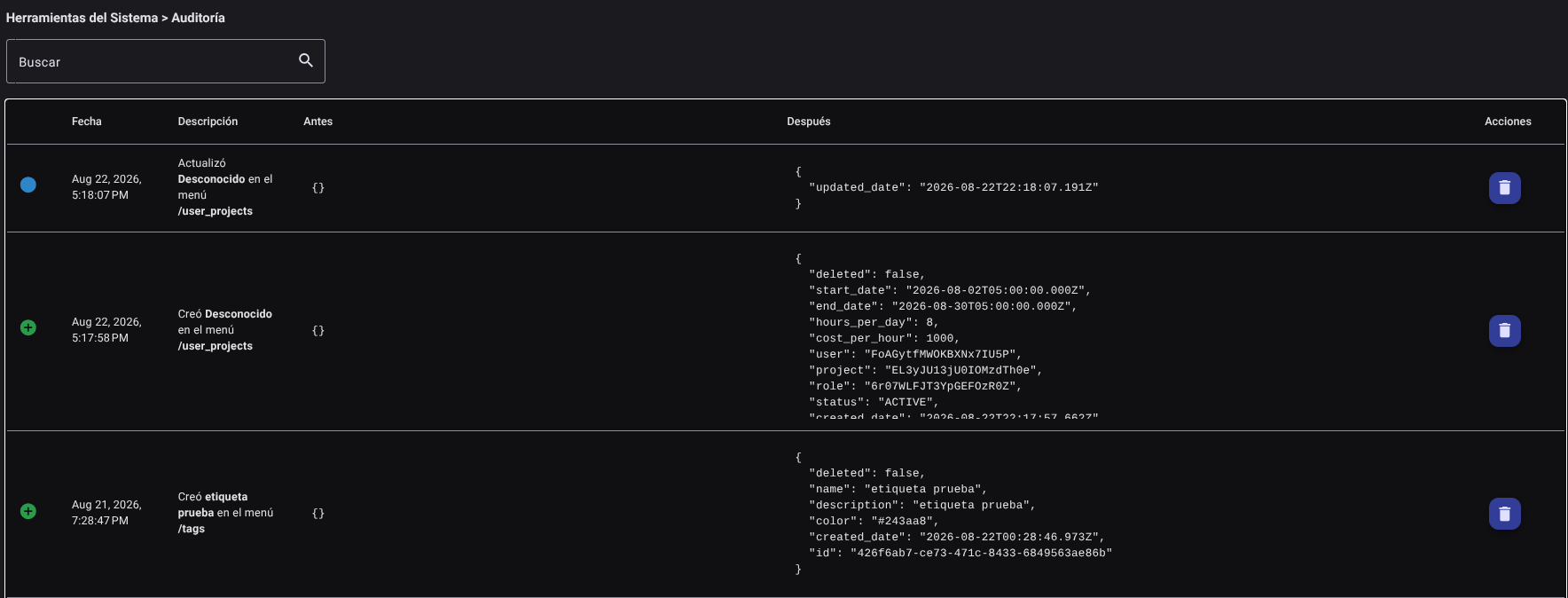
Allows access to the complete history of events registered for the organization. The interactive table exposes the following details for each trace:
- Visual Indicator: A colored icon that summarizes the category of the operation:
- Green: Creation of a new element.
- Blue: Modification of an existing record.
- Red: Deletion of system information.
- Date: Exact timestamp (day, month, year and hour) when the action was executed.
- Description: Detail that specifies the action performed, the name of the affected element and the menu or database collection where the event occurred.
- Before: Data structure in JSON (JavaScript Object Notation, a lightweight structured data exchange format) format that shows the values that the record had before the change.
- After: Data structure in JSON format that details the new values after the update is applied.
2. Search Specific Events
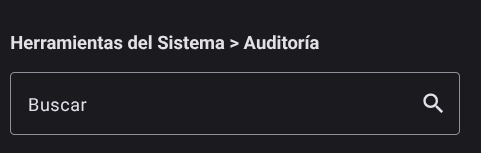
In the top bar, enter any term (such as the name of a menu, the name of a user, or a particular action). The table will update in real time showing only the records that match the search.
3. Delete a Log Record (If applicable)
If the administrator user has advanced log debugging permissions:
- Locate the log trace you want to remove from the list and click the "Delete" button (trash icon 🗑️).

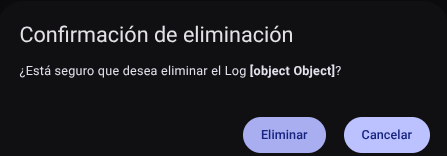
- Confirm the deletion in the security pop-up modal. The record will be permanently deleted from the display table.
WARNING
Deleting audit logs is a critical security action. It is recommended to restrict this permission to the minimum possible staff to keep the chain of custody of the information intact.
Required Technical Permits
Access to and management of the audit log is controlled by the following privileges:
logs_read: Allows you to enter the audit menu, list the traces and search among the events.logs_delete: Enables the action of deleting specific audit history entries.