Questions and Dynamic Form
Description, Purpose and Objective
NOTE
The Questions and Dynamic Form view is the administrative tool for the configuration, creation and administration of the question bank for forms, dynamically adapting the fields according to the type and subtype of response required.
A Question is defined by the following components:
- Response Type and Subtype: Technical classification of input control (
Dropdown,Description,File,Text,Number,Date). - General Attributes: Version*, Section*, Label*, Order*, box Allows enrollment? and Related Questions.
- Contextual Validations: Predefined options, correct answer, regular expressions (RegEx), file size limits, min/max values and date/time ranges.
The objective of this module is to allow the dynamic and parameterizable design of capture forms without the need to make modifications to the application source code.
Context of Use
This module is managed by program designers and analytics coordinators to:
- Build data entry forms: Parameterize adaptive response types with strict validations.
- Import and export the question bank: Bulk upload or download question banks in CSV format.
- Manage order and sections: Control the visual sequence and distribution of fields on end-user forms.
Possible Actions
1. Filter and Sort the Question Bank
- Use the search bar (Search) to find specific questions by statement, version or type.
- Click on the header of any of the columns (Version, Type, Registration Date, etc.) to sort the list in ascending or descending order.
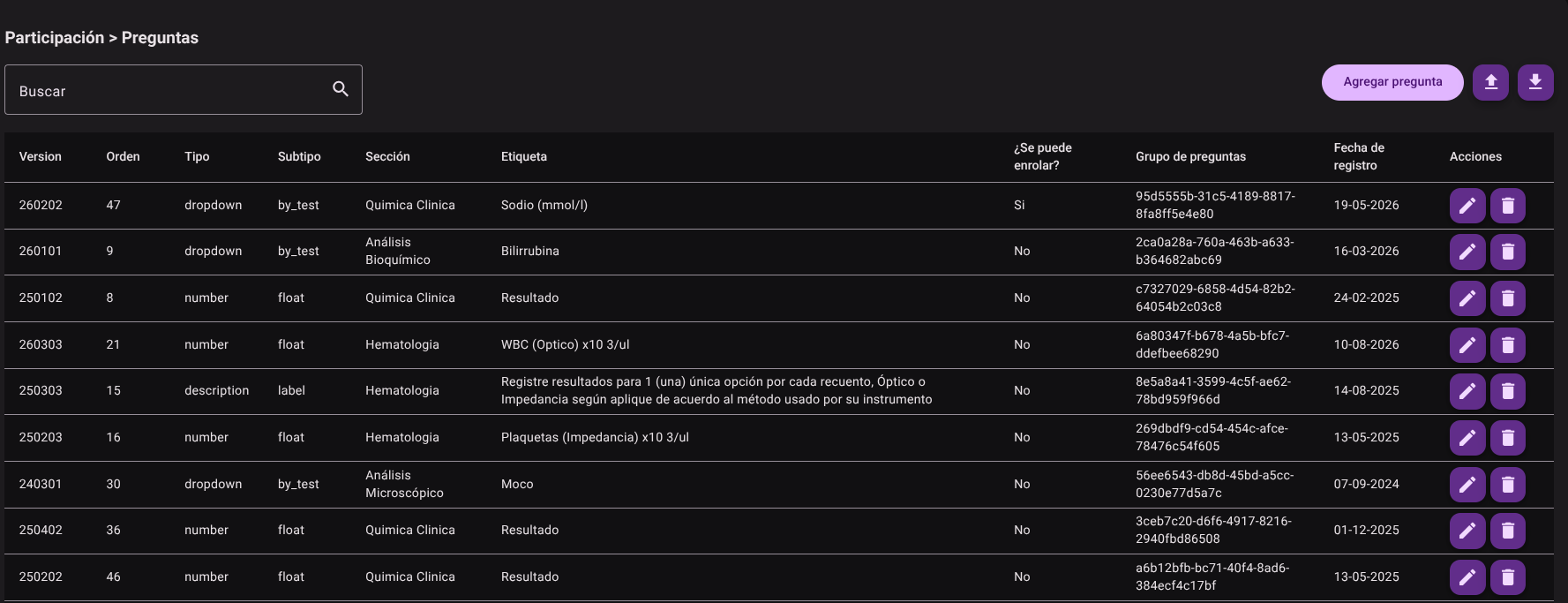
2. Create a New Question
- Click the Add Question button.

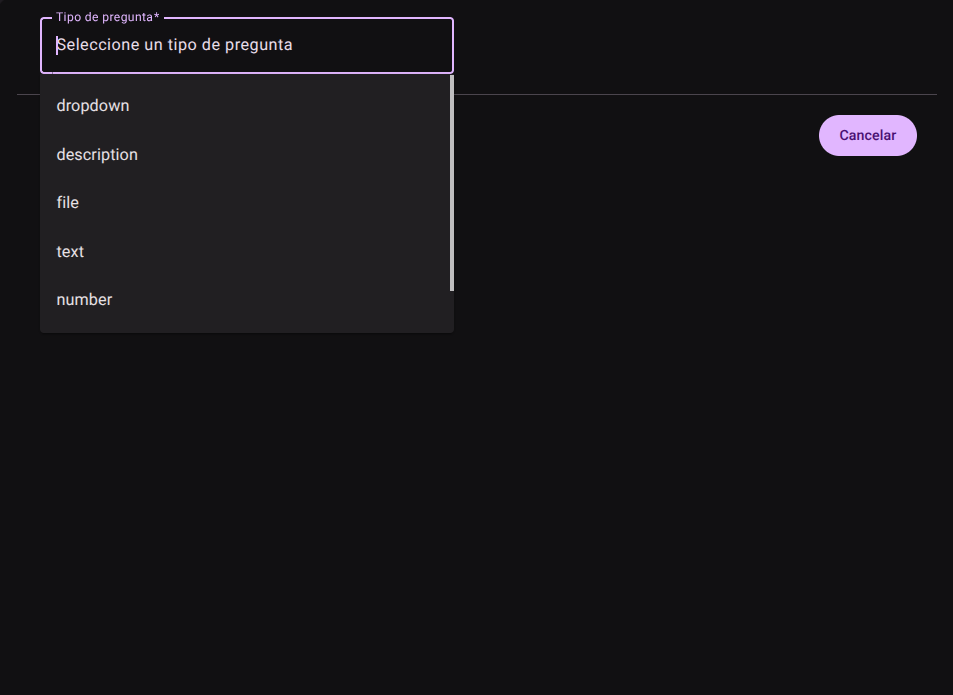
- In the side panel that appears, select the Question Type and its corresponding Question Subtype. The side form will dynamically adjust and invoke only the required fields based on the chosen combination:
- Dropdown (basic / by_test): For dropdown lists. Allows you to add options, define the default option and mark the correct answer.
- Description (label / title): To insert titles or explanatory labels that do not require a user response.
- File: To attach documents. Requires defining the maximum size (MB), maximum number of files and file types allowed.
- Text (large / short): For free text entries (short or long responses). Allows validation using regular expressions (RegEx).
- Number (integer / float): For integer or decimal number inputs. Allows you to set limits with Minimum value and Maximum value.
- Date (date / datetime): To capture dates and/or times. Allows you to define ranges (Minimum Date/Time and Maximum Date/Time).
- Complete the mandatory and general contextual fields: Version*, Section*, Label*, Order*, the Allows enrollment? box (if applicable) and the association of Related Questions.
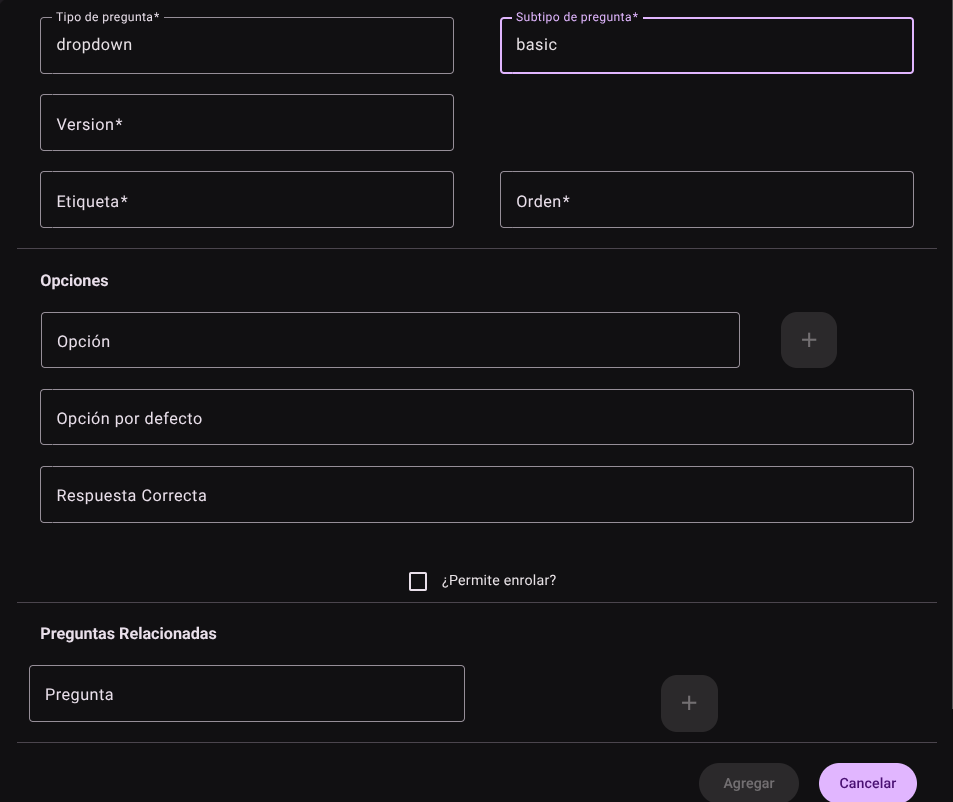
- Click "Add" to save the question or "Cancel" to exit without keeping your changes. The main table will update the list and endorse the structure according to the assigned order.

3. Edit an Existing Question
- In the row of the desired question within the main table, locate the Actions column, click on the Edit button (pencil icon).
 2. Open the side panel with the loaded information to modify the type, subtype, labels, order or validation options. 3. Press **"Update"** to update the question in the system.
4. Delete a Question
- In the Actions column of the row of the question to be removed, click the Delete button (trash can icon).

- Confirm the action to permanently remove the question from the system.

5. Import and Export Questions Massively
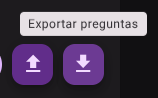
- Locate the arrow icon buttons (up/down) next to "Add Question".
- Bulk upload: Press the **import button (up arrow) to upload a CSV file with the battery of questions.

- Bulk Download: Press the **export button (down arrow) to get a CSV file with the complete parameterized question bank.
Required Technical Permits
questions_read: Allows consultation and filtering of the question bank.questions_create: Authorizes the creation and mass import of questions with dynamic validations.questions_update: Enables editing of question types, subtypes, tags, and ranges.questions_delete: Allows the permanent removal of questions from the catalog.questions_export: Authorizes the download of the question export file.