Repair Scripts Console
Description, Purpose and Objective
NOTE
The Script Console is an advanced level maintenance and support tool within the ERP, designed for the controlled execution of routines and programmed commands that operate directly on the organization's databases in real time.
A Repair Script (or Maintenance Script) is a previously compiled and tested code routine that performs tasks of mass data correction, index restructuring, recalculation of historical accumulations or forced activation of services that cannot be performed through standard user interfaces.
The goal of this view is to provide the development support team and super administrators with a unified console to perform immediate technical repairs and deployments without the need for service outages or application updates.
Context of Use
This advanced dashboard is restricted exclusively to Senior Support Engineers and Super Administrators to:
- Fix massive inconsistencies: Repair damaged or orphaned records generated by random network failures.
- Recalculate reports: Force manual recalculation of metrics on historical quality events.
- Hot Updates: Run database patches directly from the administration web frontend securely.
Possible Actions
1. Select a Script from the Gallery
The system has a catalog of predefined scripts.

- Click the Script field.
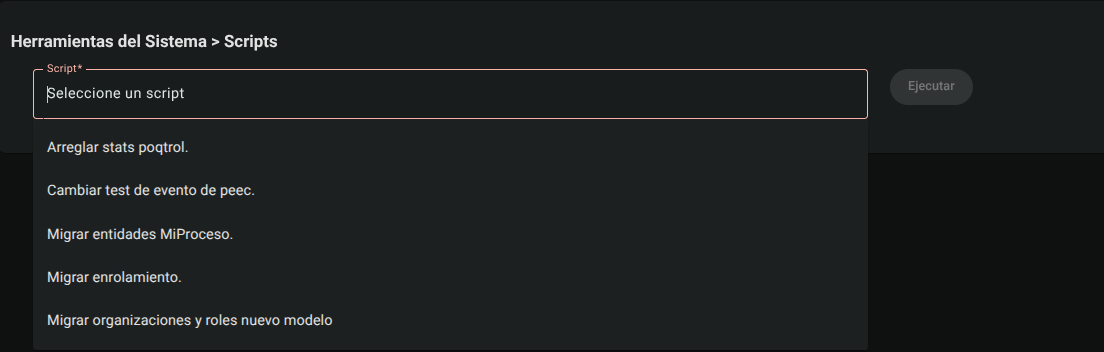
- Type keywords for the script you want to run or view the autocomplete list.
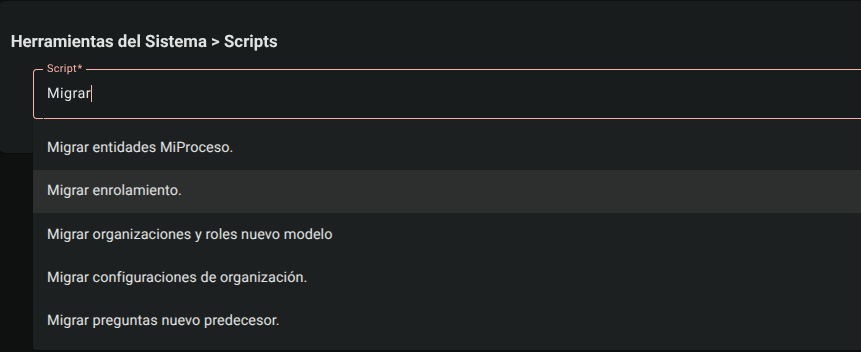
- Select the required script.
2. Run Maintenance Script
Once the script is selected:
- Click the "Run" button.

- The button will change to a loading spinner while the code routine runs on the database server.
- Upon completion, the system will display a pop-up notification message confirming the success of the operation or detailing the modified records.
CAUTION
Running database scripts hot is a high risk operation. Make sure you make a backup and have validated the script in test environments before proceeding with its execution in production.
Roles and Permissions Required
To access and interact with this advanced administration module, the user must have a IT Support or Super Administrator role and have the following specific permissions active:
- Access and display:
data_migration_read(for general restructuring consoles) ormigrate_lab_new_model_read(for updating laboratories to v2). - Write and run operations:
data_migration_create/data_migration_updateormigrate_lab_new_model_create/migrate_lab_new_model_updatethat allow scripts to be launched on the production database.