System References (Key-Value Parameters)
Description, Purpose and Objective
NOTE
The System References view is the administrative console in charge of consulting, registering, editing and deleting global system references (URLs or database references) used in the general configuration.
A System Reference consists of the following key attributes:
- Key*: Unique identifier without spaces (e.g.
API_TIMEOUT,STORAGE_LIMIT). - Reference type: Parameterization mode:
- URL: Enables the Value or URL* field to enter the web address.
- DB Reference: Enables the Document Path* field (must be entered in the collection/ID format).
The goal of this view is to allow dynamic updating of external service URLs and database pointers without the need for code deployments.
Context of Use
This module is managed by the architecture and infrastructure team to:
- Adjust dynamic configurations: Modify external service endpoints and integrations.
- Link database references: Store document paths with the collection/ID syntax.
Possible Actions
1. Consult and Filter References
- Use the search bar (Search) to locate specific keys or values in real time.
- Click on the column headers (Key or Value) to change the sorting of the list in ascending or descending order.
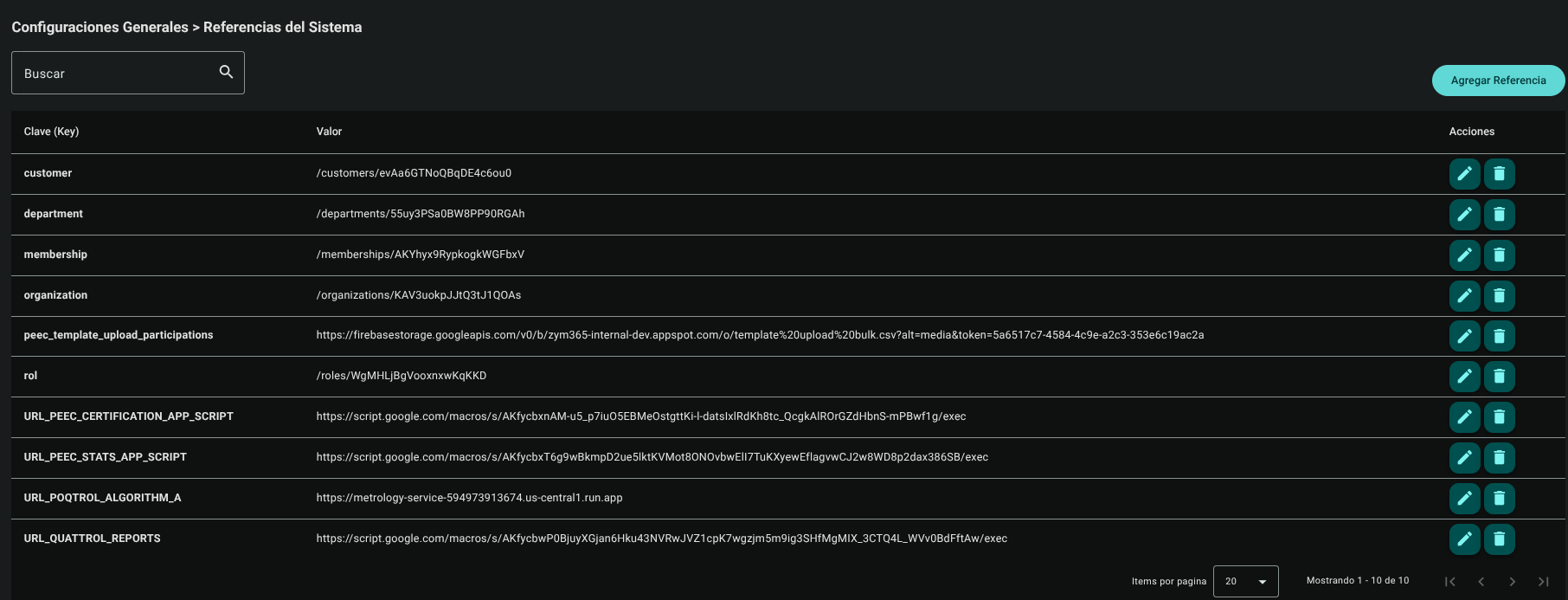
2. Create a New Reference
- Click the Add Reference button located in the upper right corner.

- In the side panel that appears, complete the required fields:
- Key* (enter the unique identifier without spaces).
- Reference type: select the corresponding option:
- URL: Enables the Value or URL* field to enter the link.
- DB Reference: Enables the Document Path* field (must be entered with the collection/ID format).
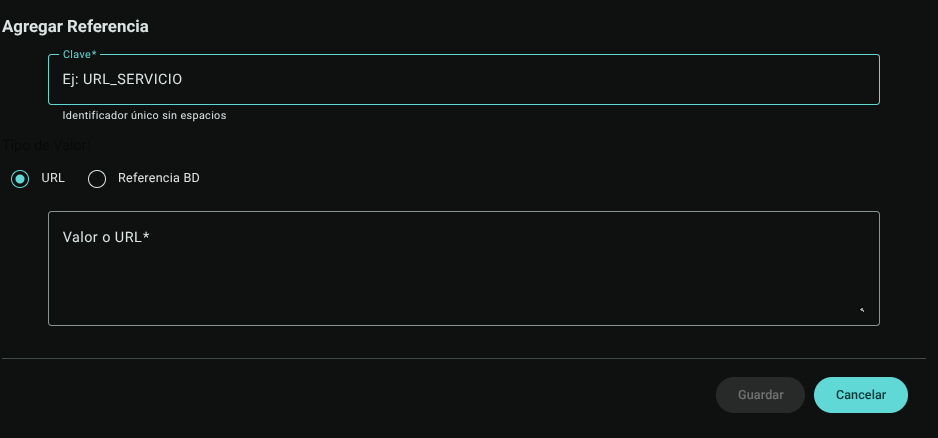
- Click the Save button to register the reference. The form will dynamically change the input field based on the selected type.

3. Edit an Existing Reference
- In the desired reference row within the main table, locate the Actions column and click **pencil (Edit).

- The Edit Reference panel will be displayed; Modify the key, change the mode (URL / BD) or update the route and save the changes using the "Update" button.

4. Delete a Reference
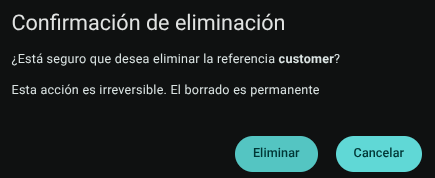
- In the Actions column of the corresponding row, click **Trash Bin (Delete).

- The system will display a direct confirmation box.
Roles and Permissions Required
Access to these global system parameters is restricted to the General Administrator or Platform Support role. Requires the following permissions:
- Geographic and UI parameters:
country_read,state_read,languages_readandmenus_read. - Entities and Licensing:
memberships_read,system_products_readandconfig_refs_read. - Traceability:
tags_readandincident_tracking_read(for incident tracking). - Write Actions: Permissions with corresponding
_createand_updatesuffixes to modify system tables.