Incident Management and Technical Support
Description, Purpose and Objective
NOTE
The Incident Management view is the centralized module for recording, reporting and tracking incidents, errors or requests for new features, with automatic synchronization to the development team's repository (GitHub).
An Incident is parameterized through the following sections:
- 1. Rating:
- Visibility*: Organizational (visible for the entire organization) or Personal (visible only by whoever creates it).
- Issue Type*: Bug, Feature or Task (automatically assigns the corresponding tag in GitHub).
- 2. Detail:
- Title*: Short summary of the reason or failure (minimum 5 characters).
- Description*: Detailed explanation of the case (supports Markdown format).
- Steps to reproduce: Optional indication of the exact sequence to replicate the bug.
- Attachments: Supporting evidence or screenshots.
The goal of this view is to allow users to report requests and continuously track the resolution status (Open or Closed).
Context of Use
This module is used by:
- Users or Organization Operators: To report technical non-conformities, screen errors or request improvements.
- Technical Support Agents and Developers: To audit, diagnose and track the progress of the registered ticket.
Possible Actions
1. Consult and Filter Incidents
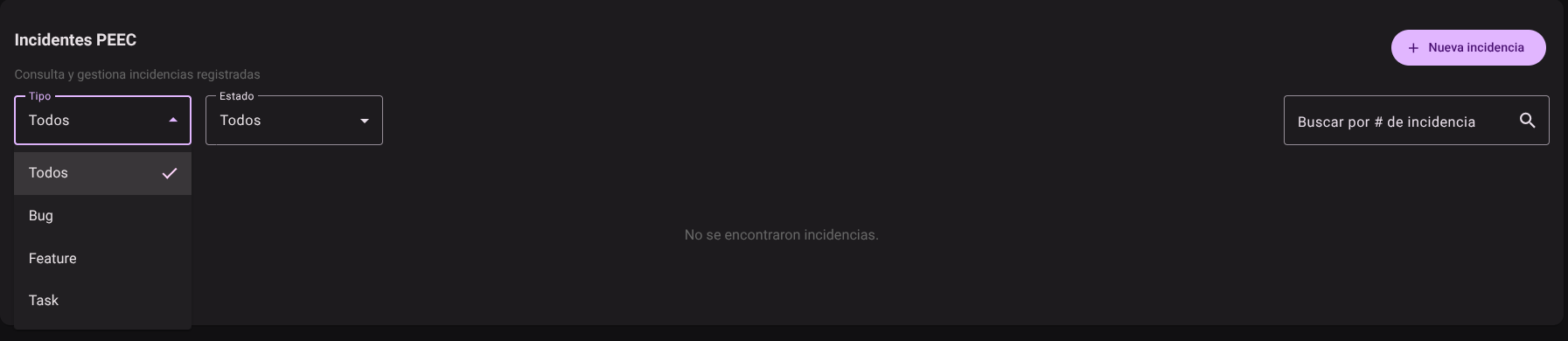
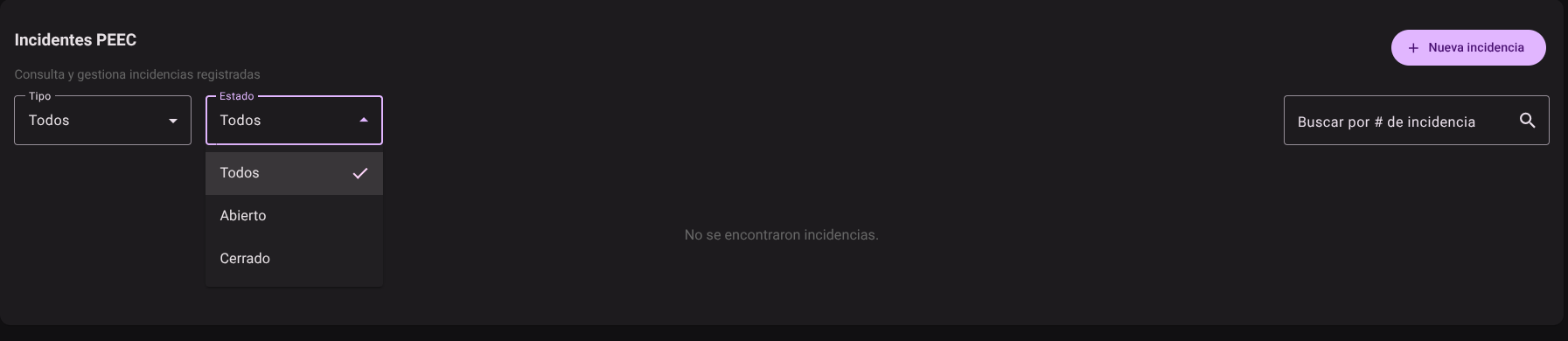
- Use the drop-down menus at the top to filter by Type (Bug, Feature, Task) or by Status (Open, Closed).
- Enter the code in the "Search by Issue #" field to find a specific ticket and check the progress status of its review.
2. Register a New Incident
- Click the ++New Incident"* button located in the upper right corner.
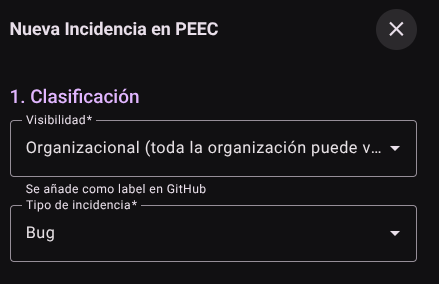
- In the side panel that appears, define section 1. Rating:
- Visibility:* Choose between Organizational (visible to the entire organization) or Personal (visible only by whoever creates it).
- Issue Type:* Select between Bug, Feature or Task (this option automatically assigns the corresponding tag in GitHub).
- Complete section 2. Detail:
- Title:* Briefly summarize the reason or failure (minimum 5 characters).
- Description:* Explains the case in detail (supports Markdown format).
- Steps to reproduce: (Optional) Indicates the exact sequence to replicate the failure in the system.
- Attachments: click the **Add button if you need to attach screenshots or supporting evidence.
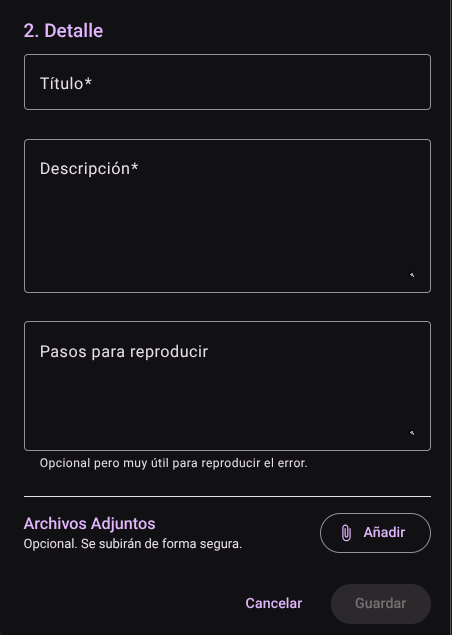
- Press the "Save" button to submit the report (or "Cancel" to close the panel without keeping the changes). When you click Save, the ticket is recorded in the list and automatically creates the corresponding task/issue on GitHub for the development team.
Roles and Permissions Required
Access to these global system parameters is restricted to the General Administrator or Platform Support role. Requires the following permissions:
- Geographic and UI parameters:
country_read,state_read,languages_readandmenus_read. - Entities and Licensing:
memberships_read,system_products_readandconfig_refs_read. - Traceability:
tags_readandincident_tracking_read(for incident tracking). - Write Actions: Permissions with corresponding
_createand_updatesuffixes to modify system tables.