Organization Administration
Description, Purpose and Objective
NOTE
The Organization Administration view is the centralized module where the different legal or commercial entities registered in the system are configured and controlled.
An Organization is the independent workspace within the platform that groups and isolates users, roles, custom configurations and product access (completely replacing the concept of labs).
The objective of this view is to allow organized and hierarchical management of these entities, facilitating the creation of branches or dependencies and associating specific access rules and domains with them.
Context of Use
This module is for exclusive use by high-level administrative profiles (such as Product Administrators or Super Administrators). It is mainly used in the following scenarios:
- Registration of new clients: Registration of a new company that acquires the platform services.
- Branch Management: Modeling of the corporate structure through the relationship of a secondary organization with a Parent Organization (a higher-level entity in the system that centralizes and acts as a root node for dependencies or areas).
- Organizational domain management: Definition of the Domain (network identifier or email extension, for example
@empresa.co) that the platform will use to verify the corporate identity of users and autolink them to the correct organization. - Purge records: Removal of test or inactive organizations that no longer have contracted services.
Possible Actions
1. View and List Organizations
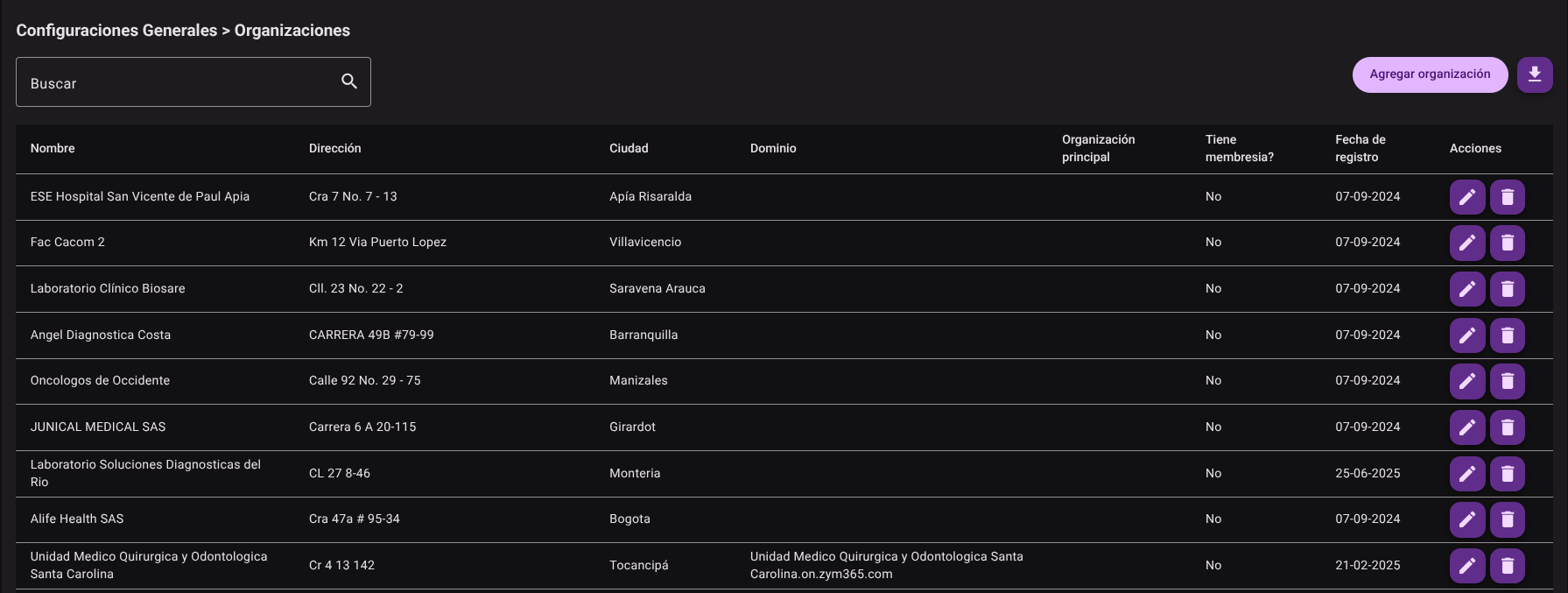
Allows administrators to examine the entire database of registered organizations. The records are presented in a table organized with the name, location, domain and hierarchical organization of each entity, whether or not it has membership and its joining date.
2. Add a New Organization
To add a new entity to the system:
- Click the "Add Organization" button located in the upper right corner of the panel.

- Accurately complete the following requested fields on the side form:
- Name: Enter the legal or business name by which the entity will be identified in all reports and configurations.
- Location (Location Data): Indicate the address, city and country of the physical headquarters for billing and location reporting purposes.
- Domain: Specify the unique domain (for example,
miempresa.com). This allows any user who signs up with an email from that domain to be automatically associated with this workspace. - Parent Organization (Optional): If the entity to be created is a division, external department or branch, select it from the drop-down list. If you are a parent or root entity, leave this field empty.
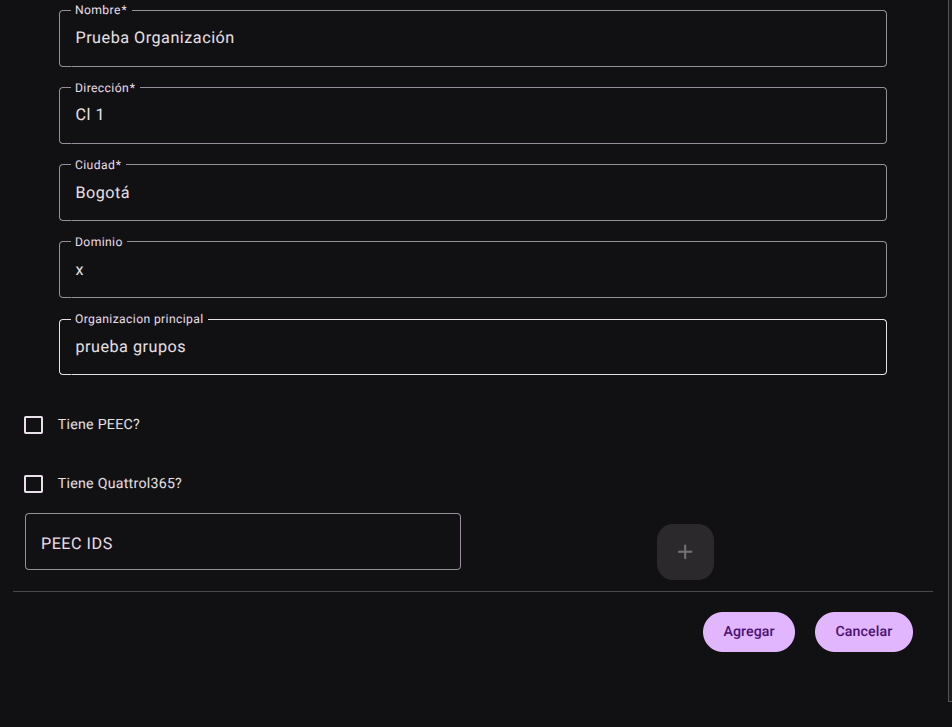
- Press the "Add" button to save the record.

3. Edit an Organization
If you need to update pre-existing information of any entity:
- Locate the organization in the table and click the "Edit" action (represented by the pencil icon ✏️).
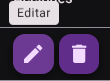
- The form will be pre-filled with the current information.
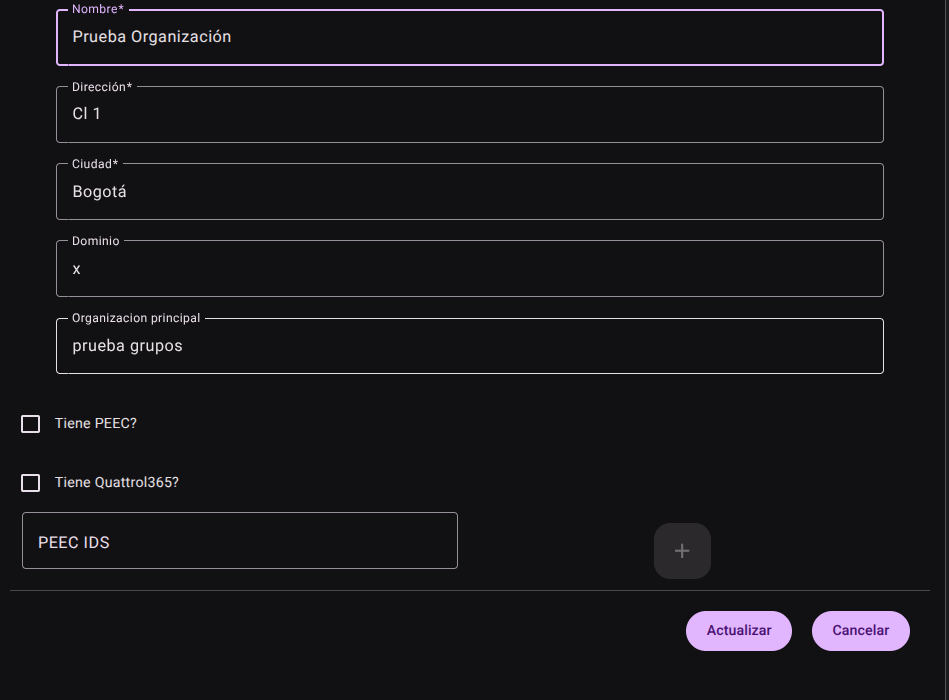
- Make any necessary changes to the name, location, domain, or mapping of your parent hierarchical organization. There are no technical restrictions for updating these fields.
- Click "Update" to apply the changes to the database.

4. Delete an Organization
To permanently remove an entity from the platform:
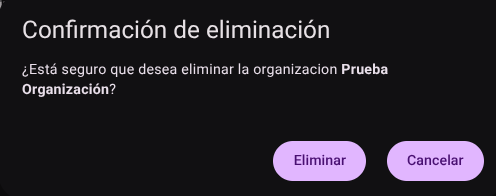
- Find the organization and click the "Delete" button (trash icon 🗑️).

- A confirmation modal will open warning that the action is irreversible and will affect the related data.
CAUTION
To ensure the referential integrity of the data, the system will block deletion if the organization is in use by another view or module.
5. Export Organizations
Allows administrators to generate an export file (typically in structured format) that compiles all registered organizations with their respective domains and locations for corporate audits or backups.
Roles and Permissions Required
Access to these global system parameters is restricted to the General Administrator or Platform Support role. Requires the following permissions:
- Geographic and UI parameters:
country_read,state_read,languages_readandmenus_read. - Entities and Licensing:
memberships_read,system_products_readandconfig_refs_read. - Traceability:
tags_readandincident_tracking_read(for incident tracking). - Write Actions: Permissions with corresponding
_createand_updatesuffixes to modify system tables.