Configuring Analytical Performance Limits
Description, Purpose and Objective
NOTE
The Performance Limits view is the quality control module in charge of defining the quality requirements and the maximum tolerable errors for each test and batch processed in the organization.
A Performance Limit is the analytical tolerance parameterization that includes:
- Maximum Allowable Total Error (TE%): The percentage of tolerable limit error to declare that the result of a measurand is clinically safe.
- Coefficient of Variation (CV%): Measurement of the expected inaccuracy or percentage dispersion of the equipment.
- Bias% (Bias%): The systematic error or percentage deviation compared to the actual reference value.
- Limit Type: The scientific source of the limit, which can be an international metric (e.g. CLIA, RCPA, Ricos, SEKK) or User Defined.
The objective of this view is to establish the limits of variability allowed to automatically calculate the Standard Deviation Indices (SDI), the Total Error Indices (TEI) and the Sigma Metric Decisions ($\sigma$) of each test.
Context of Use
This panel is operated by laboratory quality coordinators to:
- Meet regulatory specifications: Configure total error requirements based on mandatory international regulations for accreditation (such as CLIA goals).
- Customize internal margins: Establish more demanding internal limits (user-defined limits) for high-precision equipment.
- Audit historical evolution: Check how the performance limits applied to a reagent have changed over time.
Possible Actions
1. Consult and Search Quality Requirements
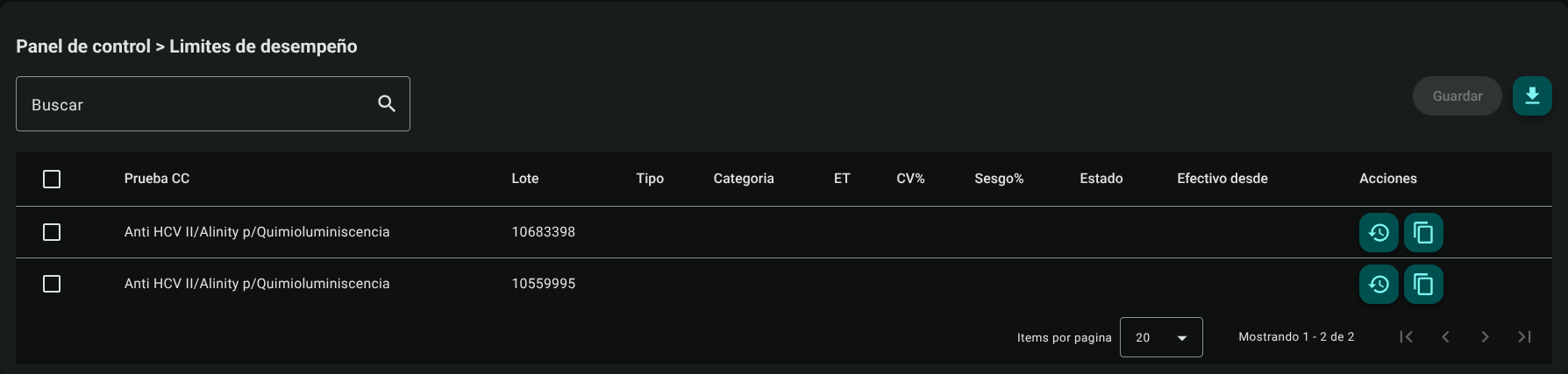
Shows a compact table with the list of limits assigned for each QC Test and Batch. The top search engine instantly filters by test name, analyzer or lot number.
2. Inline Configuration and Editing (Row by Row)
To optimize the operator's time, the table works under Inline Editing mode (direct editing on the cell):
Check the checkbox (Checkbox) in the first column of the row of the test you want to configure.
The selected row will change from read-only status to editable form:
- Type: Select from the drop-down list (e.g. User Defined, CLIA, Rich, etc.). If you select an international standard, the system will preload the predefined values and lock the numeric fields.
- Category: Classify the level of demand (e.g. Desirable, Minimal, Optimal).
- ET% (Total Error): Enter the maximum tolerable error rate (e.g.
10.0for 10%). Enabled only if the type is User Defined. - CV%: Expected coefficient of variation. Enabled only if the type is User Defined.
- Bias%: Bias or Bias allowed. Enabled only if the type is User Defined.
- Status: Set to Active or Inactive.
- Effective From: Select the effective date of this limit in your organization using the calendar.

- Repeat the process selecting other rows if required.
- Click the general "Save" button at the top right of the screen to save all modified rows at once.

3. Consult Modification History
Due to the importance of limits in validating patient results, the system stores all changes:
- Click "History" (clock icon with arrow ↩️) in the test actions column.

- A pop-up window will open detailing the history of previously applied limits, showing the user responsible for the edit, previous metrics, and the effective date of the change.
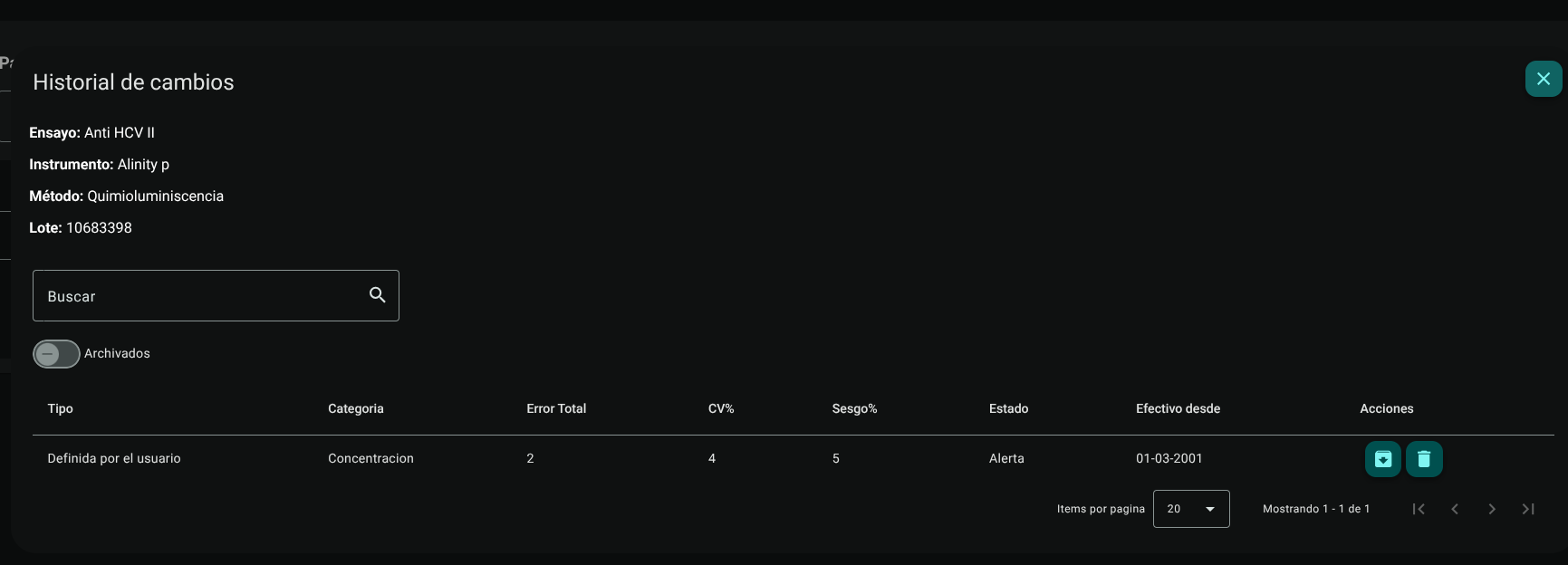
- To archive historical changes click Archive (folder or drawer icon 📥) in the change row. The record will disappear from the main view and will no longer be presented as an option in the histories.
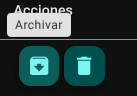
To view archived ones, turn on the "Archived" switch at the top left of the table. The table will change to list only archived trials.


To unarchive, in the archived view, click the "Unarchive" icon (up arrow or restore icon) to return the assay to the active catalog.
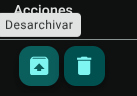
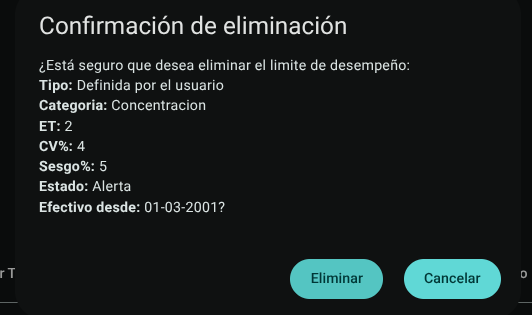
- To permanently delete an essay, click the trash icon (🗑️) for the corresponding essay.
confirm the action.
4. Copy Limit Settings
To expedite configuration between sibling lots or twin analyzers:
- Click "Copy Limit" (two overlapping sheets icon 📋) in the configured source test row.
- Select the compatible target tests to which you want to apply the same limit settings in the pop-up window.

- Confirm to quickly duplicate the parameters.

5. Export Performance Limits
Click the download button in the table header to download the list of performance limits applied to the entire organization in .CSV format.

Quality Fundamentals: Total Error and Six Sigma Metrics
NOTE
- Total Analytical Error ($ET_a$): In clinical metrology, the Total Error combines the systematic error and the random error of the method according to the formula: $$ET = |\text{Bias}%| + (z \times CV%)$$ (where typically $z = 1.65$ for a one-way 95% confidence interval). For a test to be admissible in clinical routine, the $ET$ obtained empirically by the laboratory must be strictly less than or equal to the Total Allowed Error configured in this module: $$ET_{\text{calculated}} \le ET%_{\text{allowed}}$$
- Sigma Metric ($\sigma$): Evaluates the operational capacity of the clinical process according to the relationship: $$\text{Metric } \sigma = \frac{ET%_{\text{allowed}} - |\text{Bias}%|}{CV%}$$
- $\ge 6\sigma$ (World Class): Excellent performance. It requires only a simple control rule (e.g. $1_{3s}$) with low frequency of false rejection.
- $4\sigma - 5.9\sigma$ (Good to Excellent): Adequate performance. Requires conventional Westgard multirules ($1_{3s}, 2_{2s}, R_{4s}, 4_{1s}$).
- $< 3\sigma$ (Unacceptable): High risk of medical error in patients. Requires immediate methodological inspection, reagent change or corrective calibration.
Roles and Permissions Required
Access to this parameterization module is reserved for the roles of Quality Director, Laboratory Coordinator and System Administrator. Requires the following technical permissions:
- Display and Audit:
performance_limits_read(allows you to consult the list, filter parameters and audit the current configurations). - Management and Writing:
performance_limits_create,performance_limits_updateand