Entry of Chemistry and Hormones Results
Description, Purpose and Objective
NOTE
The Chemistry and Hormones Results Entry console is the unified interface of the platform designed to capture, plot and record the technical measurement parameters and quantitative results corresponding to the Immunoassay and Clinical Chemistry programs (including POQTROL Chemistry).
The purpose of this module is to centralize the analytical reporting of high-turnover quantitative and semiquantitative analytes (such as hormones, metabolites, enzymes, infectious markers, and electrolytes) under a dynamic environment structured per participant. Its objective is to guarantee complete traceability of the analyzing equipment, the methodological principle and the batch of commercial reagent used, ensuring the consistency and integrity of the numerical format according to the specific measurement units of each measurand.
Context of Use
This panel is operated on a daily basis by:
- Bacteriologists and Analytical Technicians: To enter the readings of the controls, calibrators or samples of the PEEC/POQTROL event corresponding to the chemistry or immunoassay analytical run of the shift.
- Quality Coordinators: To review the batch numbers and methodologies reported by the operators and confirm the final sending of the entries to the external evaluation system.
1. Immunoassay Submodule (Infectious / hCG)
Purpose
Entry of analytical data for the evaluation of serological tests, infectious markers, hormonal immunoassays and special qualitative and quantitative determinations.
Participant Selection
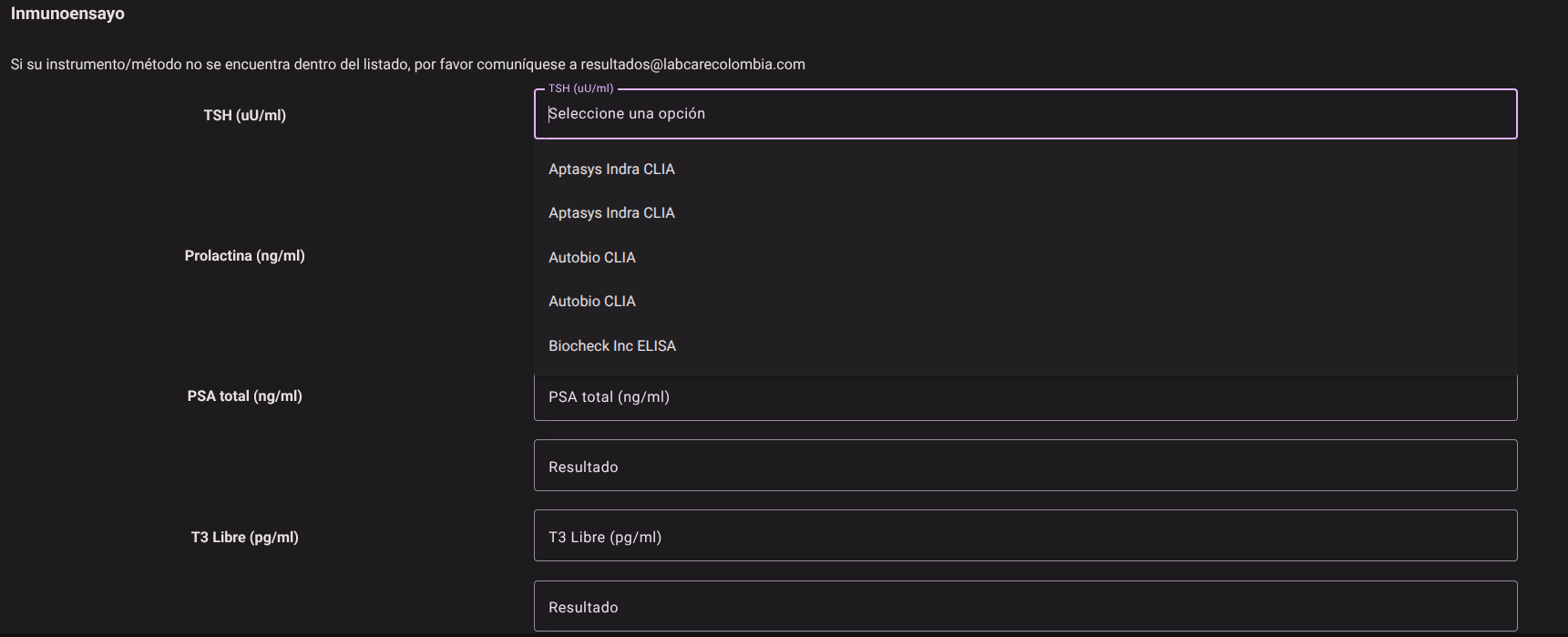
When accessing the event-specific section (Infectious or hCG), select Participant Number* from the top drop-down menu. The system will automatically load the matrix of analytes and samples corresponding to the active round.

Test Traceability Parameters
For each of the tests on the list, complete the following methodological traceability fields before capturing the result:
- Instrument: Select the analyzer device or reading system from the drop-down list.
- Examples of options:
Architect,Cobas e series,Access,Vitros ECi,Lumipulse,Lectores POCT,
- Examples of options:
- Method: Define the analytical technique or immunological principle used.
- Examples of options:
Quimioluminiscencia - CLIA,Electroquimioluminiscencia - ECLIA,ELISA,Inmunocromatografía / Prueba Rápida,Fluorescencia.
- Examples of options:
- Reagent Lot: Enter or select the lot code printed on the immunoassay reagent kit used.
Response Capture
- Numeric Result: Enter the quantitative value or cut-off index obtained from the analyzer reading. It is reported in the units corresponding to the specific analyte (e.g. S/CO, COI, mIU/mL, IU/L, pg/mL).

2. Clinical Chemistry Submodule (Chemistry / POQTROL Chemistry)
Purpose
Capture quantitative results for substrates, enzymes, metabolites, lipids and electrolytes on automated clinical chemistry platforms or point-of-care (POCT) devices.
Participant Selection
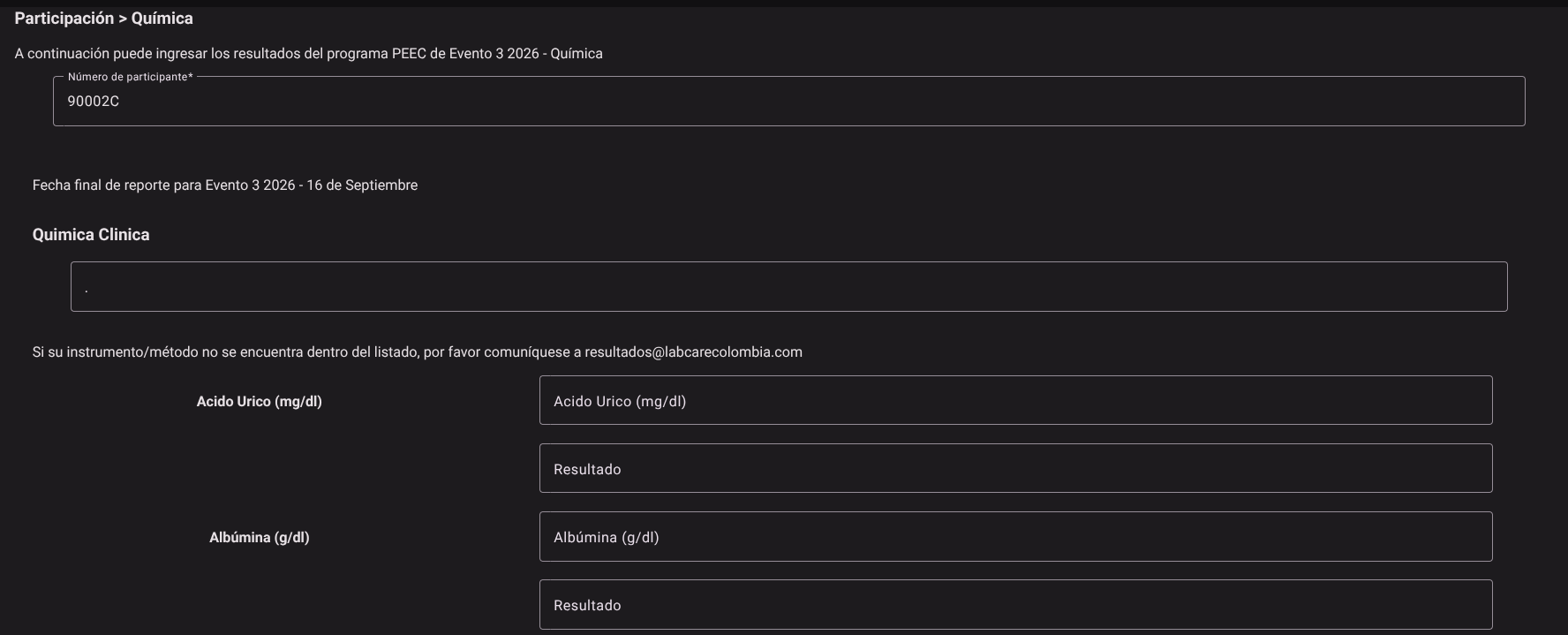
Select the identification code in the Participant Number* field to display the samples and the grid of active measurands assigned to the analytical event.
Test Traceability Parameters
Complete the following required fields to contextualize the behavior of the chemistry team:
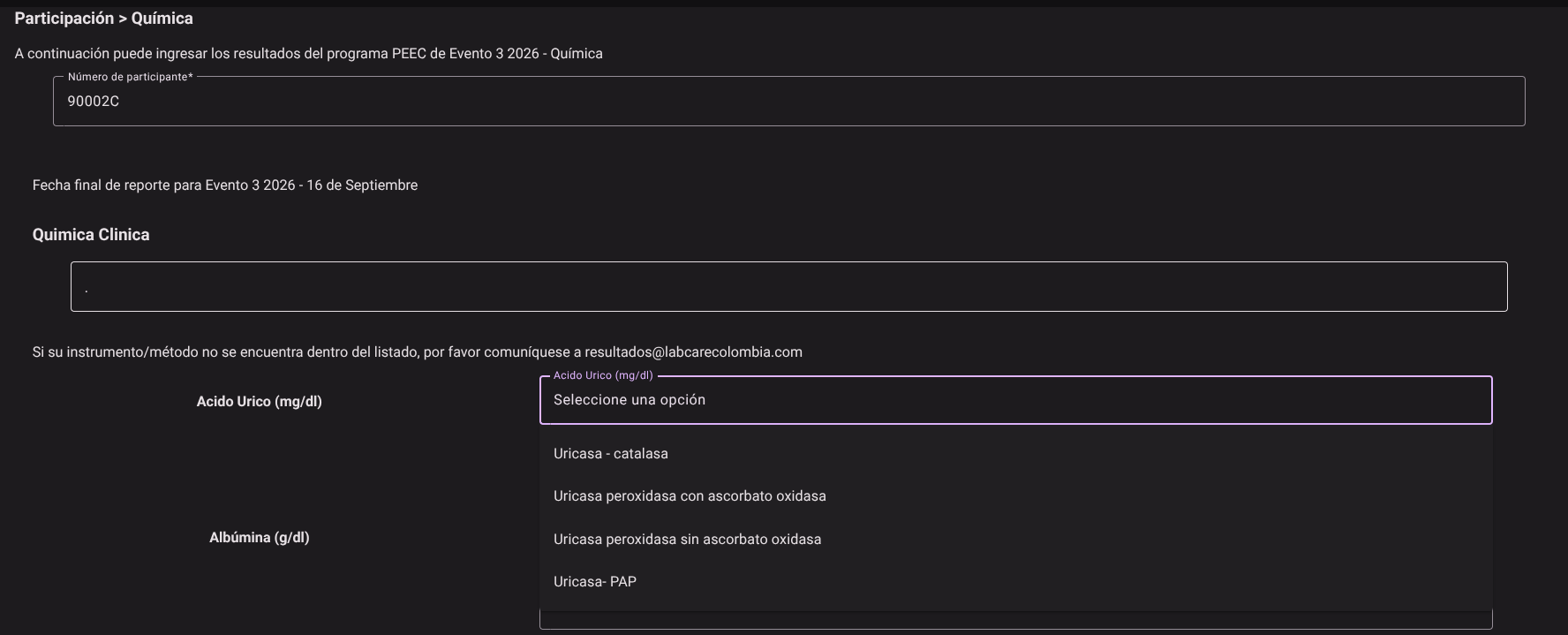
- Instrument: Select the chemistry analytical platform used from the drop-down list.
- Examples of options:
Cobas c series,AU480/AU680,Architect c series,Mindray BS,Vitros Chemistry,
- Examples of options:
- Method: Select the chemical or physical-chemical principle of the analysis.
- Examples of options:
Espectrofotometría / Colorimetría,Enzimático Punto Final,Cinético,Ion Selectivo - ISE Directo/Indirecto,Turbidimetría.
- Examples of options:
- Reagent Lot: Enter or select the active chemical reagent lot code.
Response Capture
- Numeric Result: Fill the cell with the absolute quantitative value obtained in the reading. The system validates the numerical range and formats the decimals according to the units of the measurand (e.g. mg/dL, mmol/L, U/L, g/dL).

Expected Results and Confirmations
- Input Validation: By pressing the Save button located at the footer of the page, the system verifies that all cells contain consistent numerical data and that the reagent lots are not left empty.
- Successful Registration: Readings and traceability data (equipment and method) are permanently associated in the Firestore database under the participation of the evaluated user.
Analytical and Metrological Considerations for the Report
IMPORTANT
- Units of Measurement and Conversion Factors: Rigorously verify that the reporting units on the form match those configured on your analyzer (e.g. Glucose in $mg/dL$ vs. $mmol/L$; Enzymes in $U/L$ at $37^\circ ext{C}$). A unit error generates an artificial deviation attributable to the scale factor that will invalidate the evaluation of the event.
- Cut-off indices (Cut-off) in Infectious Diseases: In serological screening tests, report the exact numerical value of the cut-off ratio ($S/CO$ or $COI$) issued by the automated reader, avoiding reporting only textual qualifiers (Reactive/Non-Reactive), since the numerical value allows the evaluation of interlaboratory reproducibility.
Roles and Permissions Required
The entry and consultation of results in the Chemistry and Immunoassay modules are governed by the following security directives:
The roles authorized to interact with these views are Bacteriologist / Chemistry Analyst, Analyzer Operator and Quality Director.
- Access and Viewing: *
- Capture and Insertion:
dynamic_event_create/
- Elimination: *